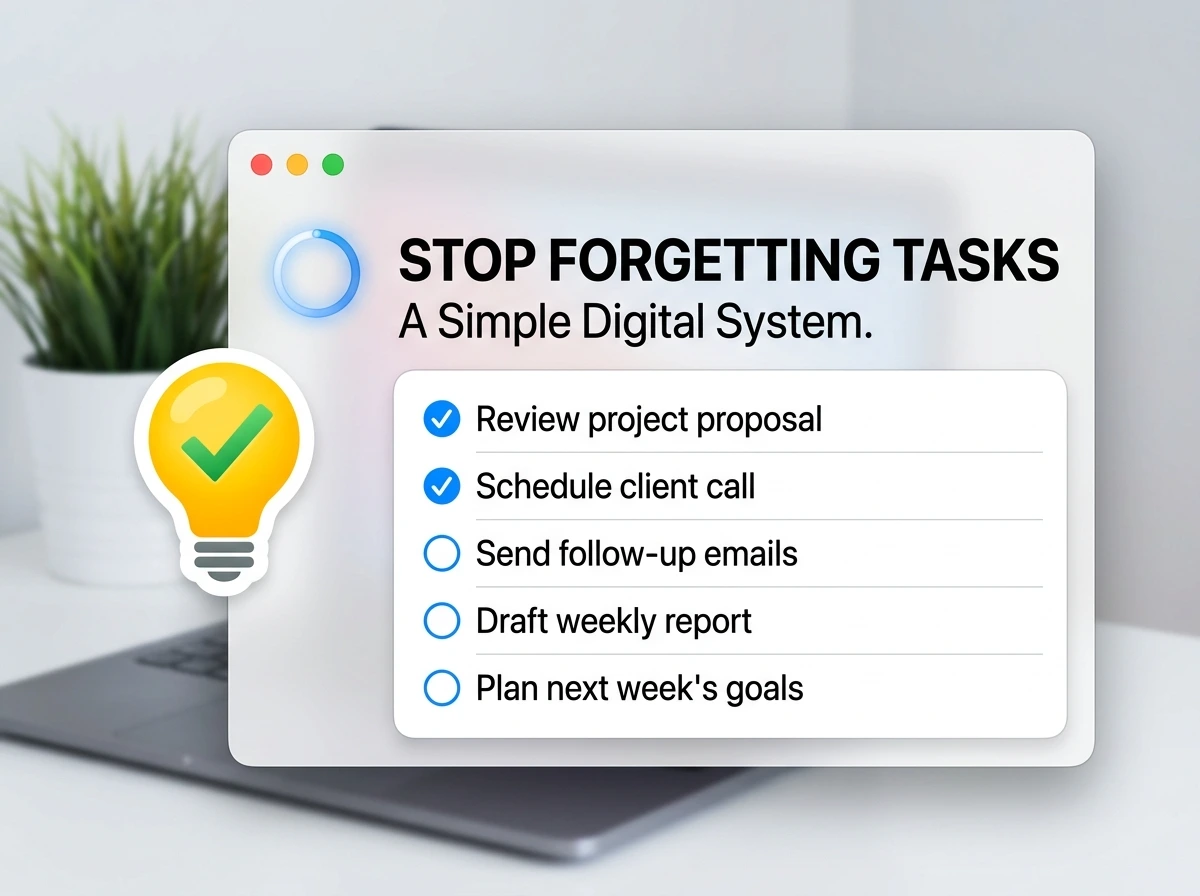

There’s a specific kind of frustration that hits when you remember a task at 11 PM that was supposed to be done by 3. You had it in your head earlier. You even thought “I’ll do that later.” And then life happened, and it vanished. Not because you’re lazy or disorganized, but because your brain was never designed to be a task manager.
Most people respond by downloading another app. Then another. Then a third one that promises to “change everything.” A month later, they’re ignoring all three and writing tasks on sticky notes again.
This article isn’t about finding the perfect app. It’s about building a simple digital system that fits how your brain actually works, so tasks stop slipping through the cracks for good.
Why You Keep Forgetting Tasks (It’s Not Your Memory)

Here’s what most productivity advice gets wrong: it treats forgetfulness as a discipline problem. It’s not. It’s a systems problem.
When you don’t have one clear place where every task lives, your brain tries to hold them all simultaneously. That’s called “open loops”, unfinished commitments that quietly drain your mental energy all day. The more open loops, the more cognitive fog, the more you forget.
The fix isn’t trying harder to remember. It’s giving every task a home the moment it enters your world and then trusting that system enough to stop trying to hold everything in your head.
What a Digital Task System Actually Is
A digital task system isn’t just a to-do list app. It’s a set of habits and tools that work together to:
- Capture every task the moment it comes up
- Organize it by context, priority, or deadline
- Surface the right tasks at the right time
- Let your brain relax because it knows nothing will get lost
The “simple” part matters. Complexity is the enemy of consistency. If your system takes five steps to add a task, you won’t use it under pressure, which is exactly when you need it most.
The Tools: What’s Out There and How They Compare

Before building anything, it helps to know your options. Here’s an honest comparison of the most popular free digital task tools, based on real daily use, not feature lists from their marketing pages.
| Tool | Best For | Free Plan | Platform | Learning Curve | Standout Feature |
|---|---|---|---|---|---|
| Todoist (Free) | Individual task management | Up to 5 projects | Web, iOS, Android, Desktop | Low | Natural language due dates (“every Monday”) |
| Notion (Free) | Flexible task + note combo | Unlimited personal pages | Web, iOS, Android, Desktop | Medium | Fully customizable layouts |
| Google Tasks | Ultra-simple, Gmail users | Fully free | Gmail, Google Calendar | Very Low | Lives inside Gmail sidebar |
| TickTick (Free) | Habit + task combo | Up to 99 tasks/list | Web, iOS, Android | Low | Built-in Pomodoro timer |
| Microsoft To Do | Outlook/Teams users | Fully free | Web, iOS, Android, Desktop | Very Low | Smart daily task suggestions |
| Trello (Free) | Visual, project-style tasks | Up to 10 boards | Web, iOS, Android | Low | Kanban card layout |
No tool on this list is objectively the best. The right one is the one you’ll actually open every day. Most people do well starting with either Google Tasks (if you live in Gmail) or Todoist (if you want something slightly more powerful but still simple).
How to Build a Notion Habit Tracker
The 4-Part System That Makes It All Work
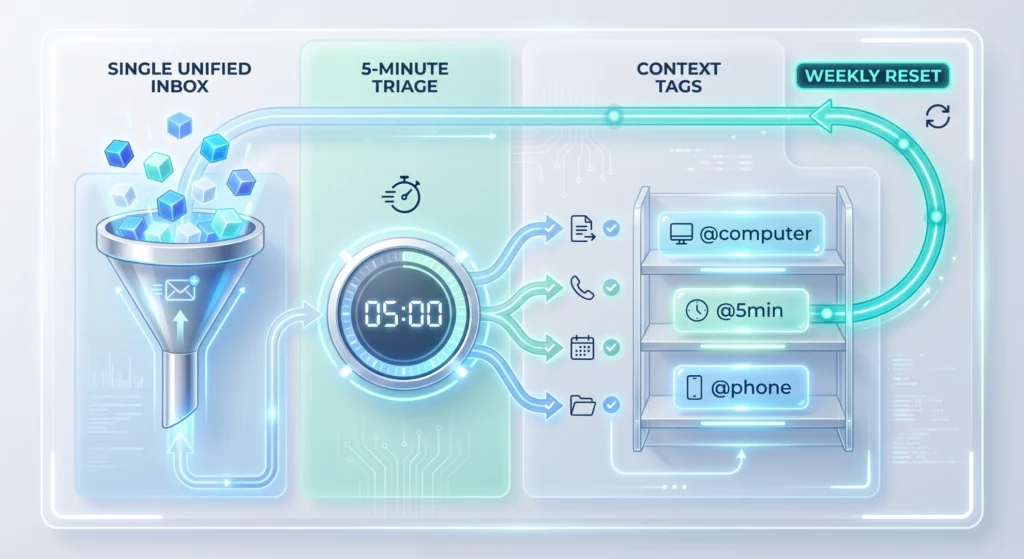
Here’s the part nobody talks about: the tool is only 20% of the solution. The other 80% is the system you build around it. This is the exact structure I use and recommend to anyone who’s tried apps before and given up.
Part 1: One Inbox, One Place
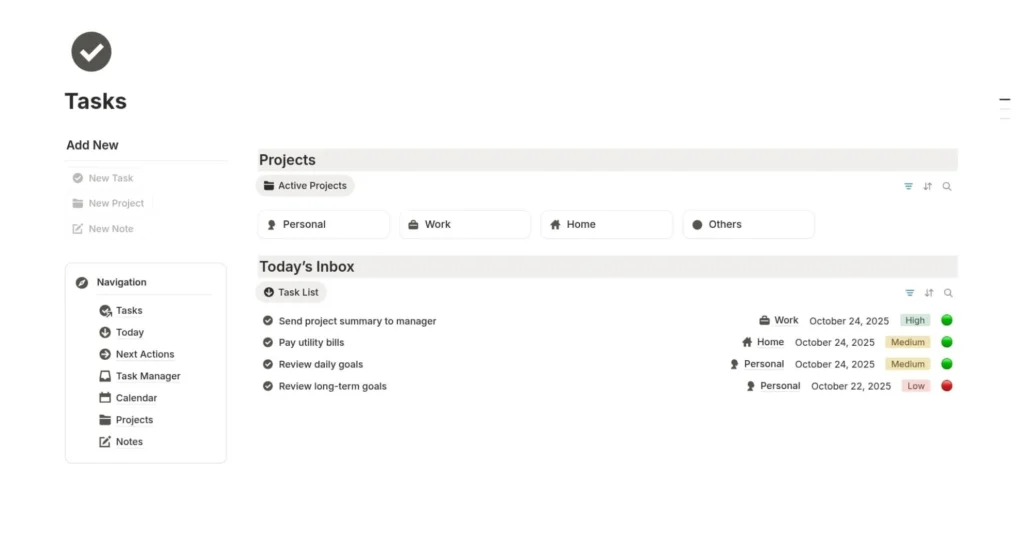
Pick one tool. Not two “for different types of tasks.” One. Every task that comes into your life, work, personal, errands, ideas get captured in that single inbox immediately. Not later. Not when you’re at your desk. The moment it hits your mind.
This is the hardest habit to build and the most important one. Everything else depends on it.
Part 2: The Daily 5-Minute Sort
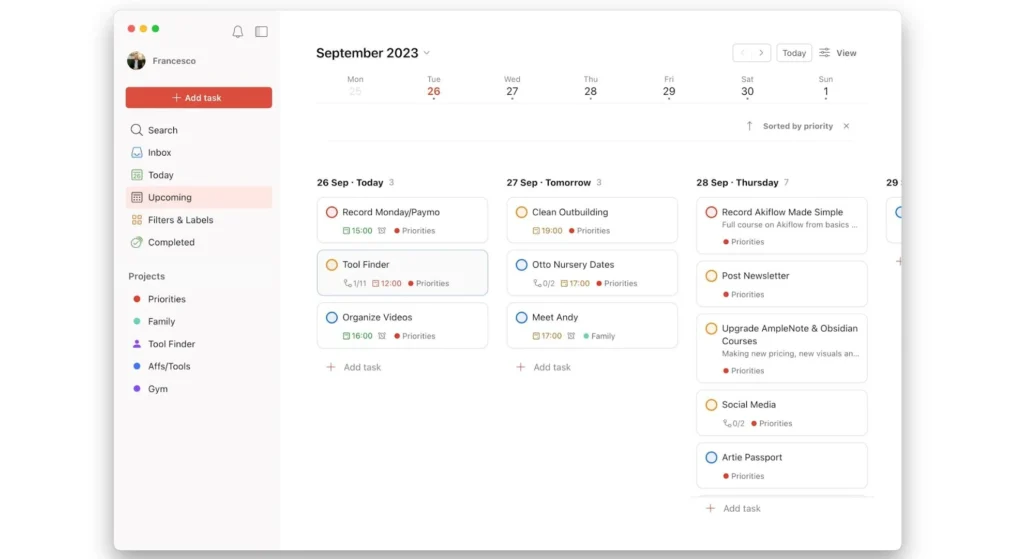
Every morning, spend five minutes (just five – set a timer) going through your inbox and doing one of four things with each item:
- Do it — if it takes under 2 minutes, handle it right now
- Schedule it — assign a specific date and time
- Delegate it — move it to someone else’s plate with a note
- Delete it — it’s no longer relevant
This keeps your inbox from becoming a graveyard of forgotten intentions.
Part 3: Context Tags (The Hidden Superpower)
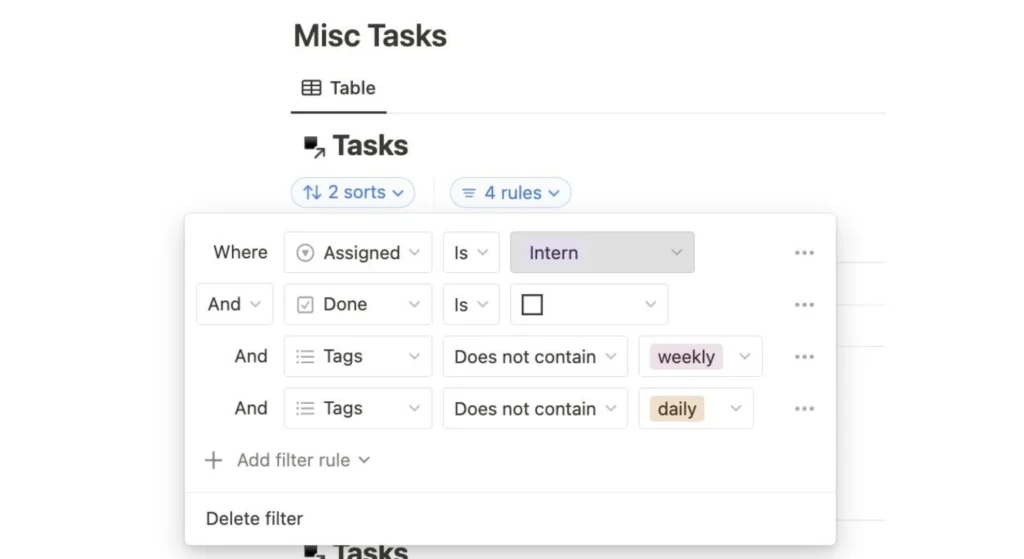
Most people organize tasks by project. That works fine until Monday morning when you have 40 tasks across 8 projects and no idea where to start.
Instead, tag tasks by context, the situation or tool needed to complete them:
@computer— needs a laptop@phone— a quick call or text@errands— out of the house@5min— quick wins
Now when you have 20 minutes before a meeting, you just filter @5min and knock out three tasks. No scrolling, no decision fatigue.
Part 4: The Weekly Reset (15 Minutes on Sunday)

Once a week, review everything. Check what you completed, reschedule what slipped, and clear out anything irrelevant. This one habit prevents the slow buildup of task backlog that makes people abandon their system entirely.
Step-by-Step: Setting Up Your System in Under 30 Minutes
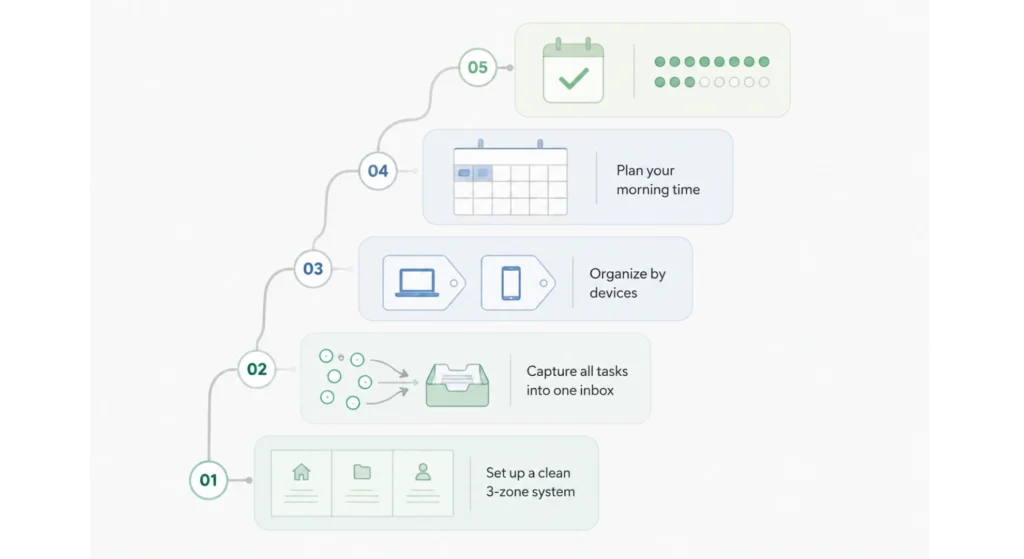
- Choose your tool using the comparison table above, don’t overthink it.
- Create three basic sections: Inbox, This Week, Someday.
- Add your current tasks — everything you’re holding in your head right now. Brain-dump it all in one go.
- Set up context tags (at minimum: @quick, @computer, @calls).
- Block 5 minutes every morning in your calendar labeled “Task Sort.” Treat it like a meeting you can’t cancel.
- Block 15 minutes every Sunday for your weekly reset.
- Use it for 14 days straight before judging whether it works. Systems need time to become habits.
Practical Use Case: How a Freelance Designer Stopped Dropping Balls
Meet David, a freelance UI designer managing three clients, personal errands, and a side project simultaneously. His old system was a mix of WhatsApp reminders to himself, random iPhone notes, and memory. Predictably, things slipped.
Here’s what his week looked like before and after building a simple digital system using Todoist:
| Area | Before the System | After the System | Change |
|---|---|---|---|
| Client deliverable tracking | Missed 2 deadlines/month | Zero missed deadlines | Eliminated |
| Morning clarity (knowing what to do) | 20–30 min of confusion | 5 min task review | 25 min saved/day |
| Mental load (“what am I forgetting?”) | Constant background anxiety | Low — system holds it | Significant relief |
| Task capture (new requests) | Often forgotten if not replied immediately | Captured in <30 seconds | Near zero task loss |
| Weekly planning | Non-existent | 15 min Sunday review | Fully structured |
David didn’t become more disciplined. He built something that did the remembering for him and that’s exactly the point.
Matching Your System to Your Work Style
Not everyone works the same way. Here’s a quick guide to which approach fits different personalities:
| Work Style | Ideal Tool | System Approach |
|---|---|---|
| Minimalist — hates complexity | Google Tasks or Microsoft To Do | Simple list, dates only, no tags |
| Visual thinker | Trello | Cards on a board, move through columns |
| Note-taker who also needs tasks | Notion | Combined notes + task database |
| Habit builder | TickTick | Tasks + daily habit tracker in one |
| Heavy email user | Google Tasks or Microsoft To Do | Lives inside your email — zero app switching |
| Power user with many projects | Todoist | Full tagging, filters, and priority system |
Mistakes to Avoid
- Using multiple apps at once — splitting tasks between two apps means you’ll trust neither and check both inconsistently.
- Over-engineering from day one — adding 12 tags, 6 projects, and color codes before you’ve built the basic habit is a recipe for abandonment.
- Capturing tasks only when convenient — if you only add tasks when you’re at your desk, you’ll lose everything that comes up in a meeting, on a walk, or in the shower.
- Not doing the daily sort — an inbox that never gets processed becomes a to-do list you’re afraid to open.
- Skipping the weekly reset — without it, outdated tasks pile up and the system starts to feel overwhelming instead of helpful.
- Setting unrealistic due dates — assigning everything as “urgent” teaches your brain to ignore priority labels entirely.
- Expecting the tool to motivate you — a task system captures and organizes. It doesn’t create willpower. Pair it with time-blocking for best results.
Pro Tips (Advanced)
- Use recurring tasks aggressively. Anything you do weekly or monthly should be automated in your tool- weekly review, bill payments, check-ins. Never re-add them manually.
- Add tasks by voice when mobile. Most tools have voice input or Siri/Google Assistant integration. A 4-second voice note beats trying to type while walking.
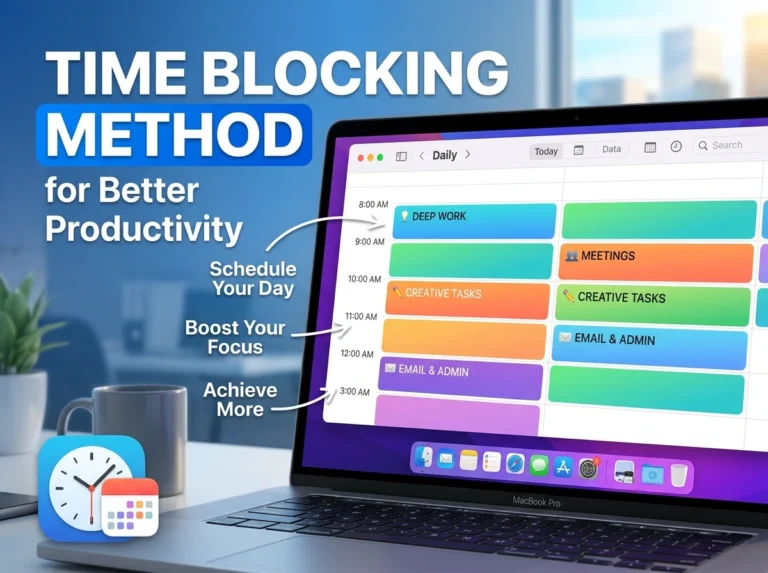
- Link tasks to your calendar. Time-blocking (assigning actual time slots to tasks) is the upgrade that turns a list into an executable plan.
- Create a “waiting for” tag. When you’ve delegated something or are waiting on a reply, tag it so it surfaces automatically during your weekly review.
- Keep your inbox-to-zero goal. Not completed tasks, sorted tasks. Zero items in your inbox means everything is either scheduled, delegated, or deleted. That’s the real win.
FAQs
1. What’s the simplest digital task system for a complete beginner? Start with Google Tasks, it’s free, lives inside Gmail, and requires zero setup. Create one list, add your tasks, assign dates. That’s it. Once that habit is solid, you can add complexity.
2. How is a digital system better than writing tasks on paper? Paper doesn’t send you reminders, can’t be searched, and is easily lost. A digital system is always with you on your phone, syncs across devices, and can surface tasks automatically based on date or context.
3. What if I keep forgetting to open the app? Build a trigger, open your task app immediately after your first coffee, or as part of opening your laptop. Pair the new habit with something you already do automatically.
4. How many tasks should I have in my system at once? There’s no magic number, but if your list has over 50 active tasks visible at once, it needs better filtering or more aggressive deletion. Overwhelm kills consistency.
5. Should work and personal tasks be in the same system? For most people, yes, one system is simpler than two. Use project labels or tags to separate contexts. Splitting into two apps creates the same “which one did I put that in?” problem you’re trying to solve.
6. How long does it take to build the habit of using a task system? Research consistently points to 21–66 days for habit formation. Plan for 30 days of intentional use before it becomes automatic. The first two weeks feel like effort, after that, it becomes muscle memory.
7. What if my tasks keep changing and the list feels pointless? That’s a sign you need a better weekly reset habit, not a new tool. Tasks shifting is normal, the review process is how you stay current without feeling like your list is always wrong.
8. Can I use this system for team tasks too? For shared work, tools like Trello, Notion, or Asana (free tier) handle collaboration better. Personal digital systems are designed for individual capture and accountability.
9. Is Notion overkill for basic task management? For pure task management, yes, it’s more than you need. It shines when you want tasks and notes in the same place. If you just need a clean to-do list, Todoist or Google Tasks will serve you better.
10. What’s the one thing that makes or breaks a digital task system? The daily sort habit. Capture alone isn’t enough. If you’re not processing your inbox every morning, tasks pile up and the system collapses within weeks. That 5-minute morning habit is the keystone of everything else.
Final Thoughts
You don’t need a smarter brain to stop forgetting tasks. You need a better system, one that does the remembering for you so your brain can focus on actually doing things.
The tools exist. They’re free. The structure is simple. What separates people who swear by their system from people who keep downloading and deleting apps is one thing: they committed to one approach long enough for it to become a habit.
Start today. Pick one tool from the comparison table. Add every task currently living in your head. Set a 5-minute alarm for tomorrow morning labeled “Task Sort.” That’s your first day. The system builds itself from there.