
It’s 1 AM. You have an assignment due at 9. You’ve known about it for two weeks. Somewhere between lectures, social media, Netflix, and the general chaos of student life, it just… didn’t happen. And now you’re running on instant noodles and regret, promising yourself this is the last time.
It won’t be the last time, unless something actually changes.
Here’s the thing most time management articles won’t tell you: students don’t struggle with time because they’re lazy. They struggle because nobody ever taught them how to structure unstructured time. School gives you a timetable. University or college hands you a syllabus and walks away. Suddenly you’re responsible for filling 14 waking hours with the right mix of study, rest, and life and nobody gave you the manual.
This guide is that manual. No motivational fluff. No “wake up at 5 AM” advice. Just practical systems that work in real student life, backed by how the brain actually functions under pressure.
Why Most Time Management Advice Fails Students
Before jumping into tips, it’s worth understanding why the standard advice, “make a schedule,” “stop procrastinating,” “prioritize your tasks” doesn’t stick.
Most time management frameworks were designed for office workers with predictable, repetitive days. A student’s life is the opposite of that. Lectures vary by day, deadlines cluster around semester ends, energy levels crash and spike unpredictably, and the social pressure to not spend every waking hour studying is real and legitimate.
The fix isn’t stricter discipline. It’s a flexible system that bends with your life instead of breaking under pressure.
The Real Cost of Poor Time Management (It’s More Than Grades)
Poor time management doesn’t just hurt your GPA. Here’s what it actually costs students and most people don’t connect the dots until much later:
| Consequence | Short-Term Impact | Long-Term Impact |
|---|---|---|
| Missed deadlines | Lost marks, late penalties | GPA damage, academic probation |
| Chronic cramming | Surface-level understanding | Poor retention, weaker exam performance |
| Sleep deprivation | Focus loss, irritability | Mental health decline over time |
| No personal time | Social withdrawal | Burnout, anxiety, low motivation |
| Reactive studying | Always behind, constant stress | Reduced confidence, poor habits post-graduation |
The good news? All of these are system problems and system problems have system solutions.
Understanding Your Time: The First Step Nobody Takes
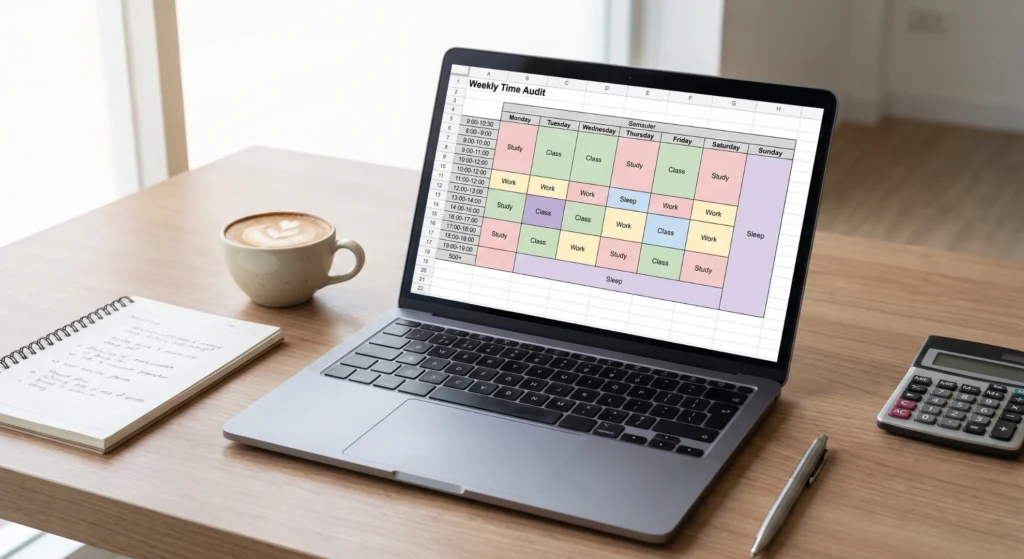
Most students think they’re busier than they are. Some are busier than they realize. The only way to know is to audit your actual time before trying to manage it.
For three days, roughly track how you spend your time in 30-minute blocks, not what you planned, but what actually happened. Most students discover two things:
- They have more free time than they thought
- That free time is being consumed by low-value, high-frequency habits (scrolling, passive TV watching, long unplanned hangouts)
You can’t redesign a system you haven’t observed. This three-day audit is the most skipped step in student productivity and the most important one.
Comparing Popular Student Time Management Methods
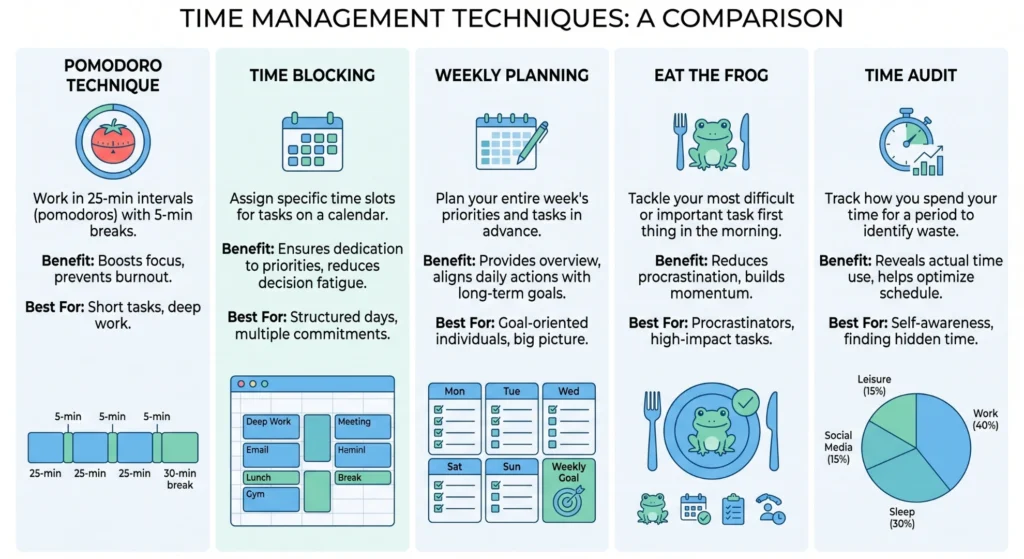
Different methods work for different types of students. Here’s an honest breakdown so you can choose what fits your personality, not just what sounds good in theory.
| Method | How It Works | Best For | Difficulty | Time to See Results |
|---|---|---|---|---|
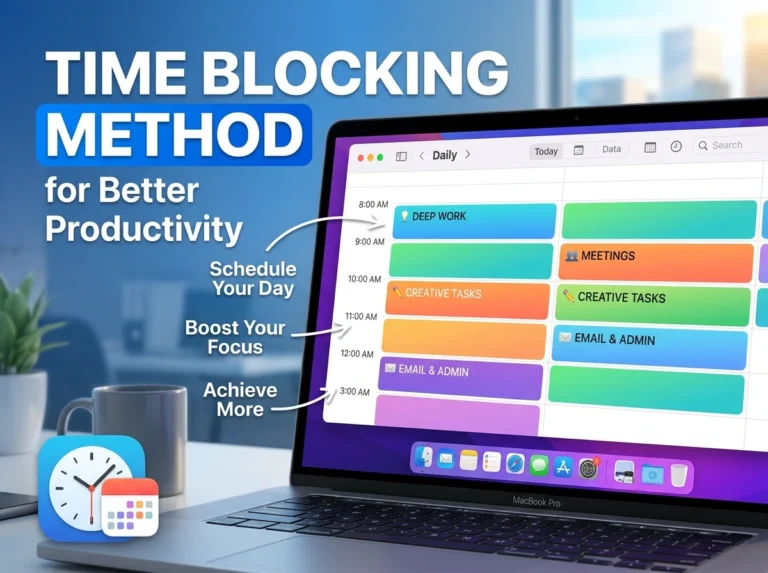
| Time Blocking | Schedule every hour of your day in blocks | Structured thinkers, heavy workload semesters | Medium | 1–2 weeks |
| Pomodoro Technique | 25 min work + 5 min break, repeat | Students who struggle with focus or procrastination | Low | Immediate |
| The 1-3-5 Rule | Plan 1 big, 3 medium, 5 small tasks daily | Overwhelmed students, exam season | Low | Same day |
| Weekly Planning | Plan the full week every Sunday | Students with variable daily schedules | Medium | 1 week |
| Eat the Frog | Tackle hardest task first every morning | Chronic procrastinators | Medium | 1–3 days |
| Time Audit First | Track time before managing it | All students — best starting point | Low | Immediate insight |
There’s no universally “best” method. Most high-performing students use a combination, typically weekly planning layered with daily Pomodoro sessions for deep work. Start with one, master it, then layer.
The Core Time Management Tips (That Actually Work)

1. Plan the Week on Sunday, Not the Morning Of
Planning your day each morning is like reading a map while already driving. By the time you know where you’re going, you’ve already missed a turn.
Sunday planning, just 20 minutes changes everything. Look at the week ahead: What’s due? What lectures do you have? When are your energy levels typically highest? Build your study blocks around your schedule, not against it.
The goal isn’t a rigid minute-by-minute plan. It’s knowing, on Monday morning, exactly what the week holds, so you’re responding to a plan instead of reacting to chaos.
2. Use the Pomodoro Technique for Study Sessions

Sitting down to “study for 3 hours” is setting yourself up to stare at your notes for 3 hours while actually absorbing 40 minutes worth of material.
The Pomodoro Technique breaks work into 25-minute focused sessions followed by a 5-minute break. After four cycles, take a longer 20–30 minute break. This works because it matches how attention actually functions, the brain can sustain genuine focus for about 25–40 minutes before efficiency drops sharply.
Apps like TickTick, Forest, or even a basic phone timer make this effortless to implement.
3. Assign Subjects to Specific Days (Subject Batching)
Switching between completely different subjects multiple times a day creates cognitive switching costs, your brain spends energy shifting gears instead of going deeper into the material.
Instead, batch subjects by day where possible:
- Monday/Thursday → Mathematics
- Tuesday/Friday → Sciences
- Wednesday → Writing and Humanities
This isn’t always possible with fixed lecture schedules, but even partially applying it reduces the mental overhead of constantly context-switching between totally different types of thinking.
4. Protect Your Peak Hours Like a Meeting You Can’t Cancel
Everyone has 2–4 hours in the day when their brain is at its sharpest. For most people that’s mid-morning (9–11 AM) or early afternoon. For genuine night owls, it might be 10 PM.
Whatever your peak hours are, guard them. Don’t fill them with emails, admin, or passive tasks. That’s when your hardest subject, your most demanding assignment, or your deepest revision goes. Save the low-energy slots for reviewing notes, organizing files, or watching recorded lectures.
5. Use a Digital Task System for Assignment Tracking
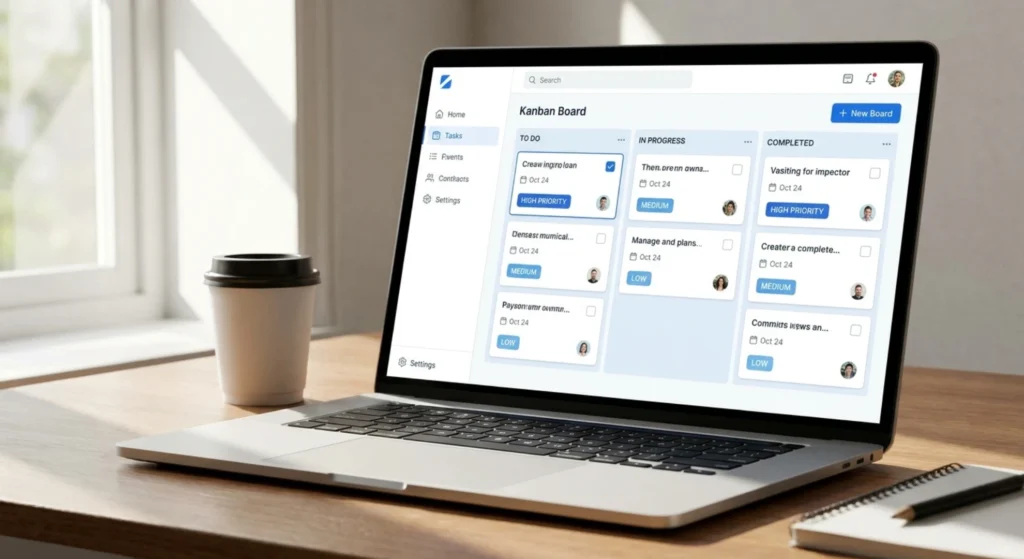
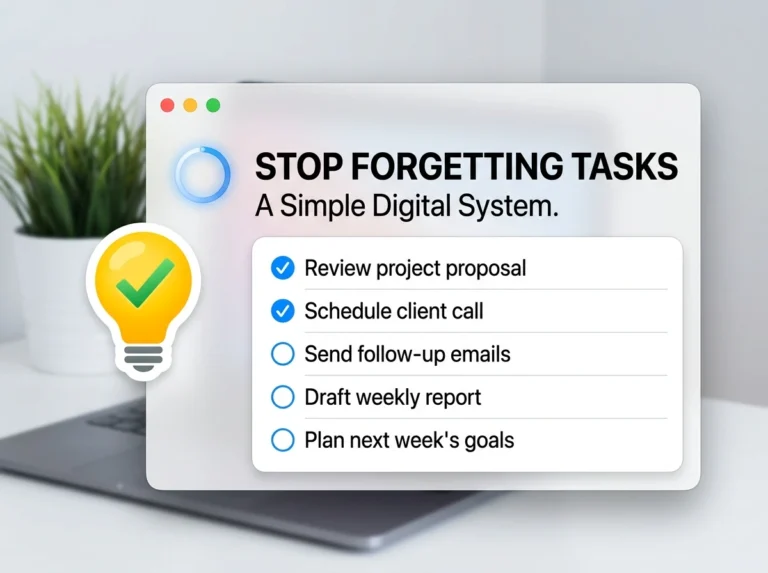
A physical planner is better than nothing. But a digital system; Todoist, Notion, or even Google Tasks is searchable, sendable, always in your pocket, and doesn’t get lost under your bed.
For every assignment or exam, capture: the task, the due date, and one “next action”. The very next physical step needed to move it forward. “Write essay” is not a next action. “Open document and write the introduction outline” is.
6. Apply the 2-Minute Rule Ruthlessly
If something takes under 2 minutes to do, reply to that email, submit that form, add that reading to your list, do it immediately. Don’t schedule it. Don’t “come back to it later.”
The mental overhead of tracking a 90-second task is often larger than just doing it. Small undone items create open loops that quietly drain focus all day.
7. Build Buffer Time Into Every Plan
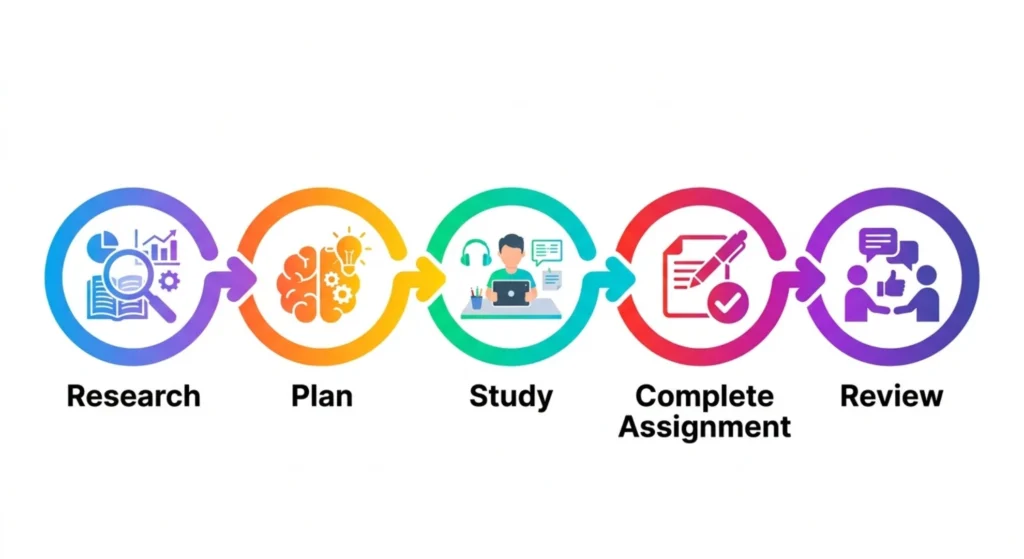
Optimistic scheduling is the silent killer of student time management. You plan to finish an essay in 2 hours, it takes 4. You plan to review notes in an hour, you can’t find half of them.
Always add 25–30% extra time to any estimate. If you think something takes 2 hours, block 2.5. You’ll either use the buffer (more often than not) or finish early and enjoy unexpected free time, which is far better than perpetually running behind.
Practical Use Case: A University Student’s Transformed Week
Meet Priya, a second-year business student managing five modules, a part-time café job on weekends, and a genuine social life she refuses to sacrifice. Before building a system, her weeks felt like whiplash. Always studying the wrong thing at the wrong time, always slightly behind.
Here’s what changed when she applied the methods above:
| Area | Before System | After System | Change |
|---|---|---|---|
| Sunday planning | Non-existent, figured it out daily | 20 min weekly plan every Sunday evening | Full week visible in advance |
| Assignment tracking | WhatsApp messages to herself, sticky notes | Todoist with due dates and next actions | Zero missed deadlines |
| Study session quality | 3-hour blocks with phone nearby | 25-min Pomodoro cycles, phone in another room | Retained 60% more per session |
| Peak hour usage | Spent on scrolling and light tasks | Reserved for hardest module (Accounting) | Grade improved by one full letter |
| Exam preparation | Started 2–3 days before | Started 10 days before with daily review blocks | Significantly less pre-exam panic |
| Free time guilt | Constant — always felt “should be studying” | Low — free time was planned and earned | Better rest, better mood |
Priya didn’t study more hours. She studied smarter hours and protected the rest.
Choosing the Right Tools for Student Time Management
| Tool | Type | Free? | Best Used For | Platform |
|---|---|---|---|---|
| Todoist | Task Manager | Yes (basic) | Assignment and deadline tracking | Web, iOS, Android |
| Google Calendar | Calendar | Yes | Time blocking and schedule visibility | Web, iOS, Android |
| Notion | Notes + Tasks | Yes (personal) | Subject notes linked to task system | Web, iOS, Android |
| Forest App | Focus | Freemium | Pomodoro sessions, phone avoidance | iOS, Android |
| TickTick | Task + Habit | Yes (basic) | Tasks, habits, and built-in Pomodoro | Web, iOS, Android |
| Anki | Flashcard/Recall | Yes | Spaced repetition for exam revision | Web, iOS, Android, Desktop |

You don’t need all of these. A good starting stack: Google Calendar for visibility, Todoist for tasks, and Forest for focus sessions. Three tools, covering three different needs, without overlap.
Mistakes to Avoid
- Planning without prioritizing — a to-do list with 15 equally weighted tasks is just organized overwhelm. Always identify the 1–3 tasks that matter most each day and protect time for those first.
- Studying in the same environment every day — novelty improves focus. If your bedroom desk has become a place your brain associates with distraction, take your laptop to the library, a café, or a study room once or twice a week.
- Confusing being busy with being productive — highlighting textbooks for three hours feels like studying. It mostly isn’t. Active recall, testing yourself, solving problems, writing summaries from memory — is what actually builds retention.
- Ignoring energy management — time management without energy management is incomplete. Skipping sleep to gain two extra study hours is almost always a net loss. A rested brain in one hour outperforms an exhausted brain in three.
- No deadline buffer for big assignments — setting your personal deadline two days before the actual deadline is one of the highest-leverage habits a student can build. It transforms late-night panics into calm final reviews.
- Treating weekends as recovery-only — rest is essential, but two completely unstructured days derail the whole week’s momentum. Even 1–2 focused study hours on Saturday keeps the brain engaged and Monday less overwhelming.
- Abandoning the system after one bad week — every student has weeks where the plan collapses. That’s not evidence the system doesn’t work, it’s evidence that life is unpredictable. Reset on Sunday and restart. Consistency over time matters more than perfection in any single week.
Pro Tips (Advanced)

- Use spaced repetition, not marathon revision. Reviewing material across multiple shorter sessions over days beats one long cramming session every time. Apps like Anki automate this spacing for you, they show you a flashcard right before your brain is about to forget it.
- Build a “shutdown ritual.” At the end of each study day, write down three things you completed and the top priority for tomorrow. Close your books, close your tabs, and consciously end the day. This signals your brain that work is over and dramatically improves rest quality.
- Sync your study schedule to your chronotype. Night owls forced into 6 AM study sessions will underperform against their own potential. Know whether you’re a morning person or not, and stop fighting your biology. Work with it.
- Group projects get a dedicated communication window. Don’t let group project messages scatter your focus all day. Set a 30-minute window same time daily, where you respond to all group-related messages. Outside that window, notifications are off.
- Review lecture notes within 24 hours, not at exam time. The Ebbinghaus Forgetting Curve shows that without review, you forget roughly 70% of new information within 24 hours. A 10-minute review the same evening locks in what would otherwise disappear before the week is out.
FAQs
1. How many hours should a student study per day? Quality beats quantity every time. Research suggests 3–5 hours of genuinely focused study (not passive re-reading) is more effective than 8 hours of low-concentration work. Your focus quality per hour matters far more than the raw number of hours logged.
2. What’s the best time management method for procrastinators? The Pomodoro Technique works best for chronic procrastinators because it reduces the task to just 25 minutes, which is psychologically far less intimidating than “study for three hours.” Starting is the hardest part; Pomodoro makes starting easier.
3. How do I manage time when my schedule changes every day? Weekly planning is your answer. Rather than trying to build a fixed daily routine with a variable schedule, plan each week individually based on that week’s lectures, deadlines, and commitments. Sunday planning takes 20 minutes and gives you a week of clarity.
4. How do I stop wasting time on my phone while studying? Environment design beats willpower every time. Put your phone in another room, not face-down on your desk, literally another room. Use apps like Forest or Freedom to block distracting apps during study sessions. Remove the temptation; don’t just resist it.
5. Is it okay to take breaks while studying? Not just okay- essential. The Pomodoro Technique is built entirely around this principle. Short, frequent breaks maintain focus over longer periods. Working without breaks is how students hit 3-hour sessions and retain almost nothing from the final hour.
6. How do I manage time during exam season when everything piles up? Start your exam prep earlier than feels necessary, ideally 10–14 days out. Create a revision timetable that covers each subject multiple times (spaced repetition), prioritize modules by exam date and personal weakness, and reduce non-essential commitments temporarily rather than eliminating rest.
7. What should I do when I fall behind my schedule? Resist the urge to add fallen tasks onto already-full days, that creates a snowball of overcommitment. Instead, do a mini weekly reset: identify what absolutely must be done, reschedule lower-priority items, and restart cleanly. One bad day doesn’t ruin a good system.
8. How do I balance socializing and studying? Plan social time the same way you plan study time- intentionally, not by default. If Friday evenings are protected social time, honor that. Students who schedule guilt-free downtime actually study more effectively during study blocks than those who grind continuously and feel resentful about it.
9. Does pulling all-nighters actually help before exams? Almost never. Sleep is when the brain consolidates memory. Pulling an all-nighter before an exam trades your ability to recall information for a few extra revision hours, a consistently bad trade. A full night’s sleep before an exam outperforms last-minute cramming in virtually every study on the topic.
10. What’s the single most impactful time management habit a student can build? Weekly planning on Sunday. It takes 20 minutes and gives you seven days of direction instead of seven days of reaction. Every other habit on this list becomes easier once you have a week-level view of your commitments, deadlines, and available time.
Final Thoughts
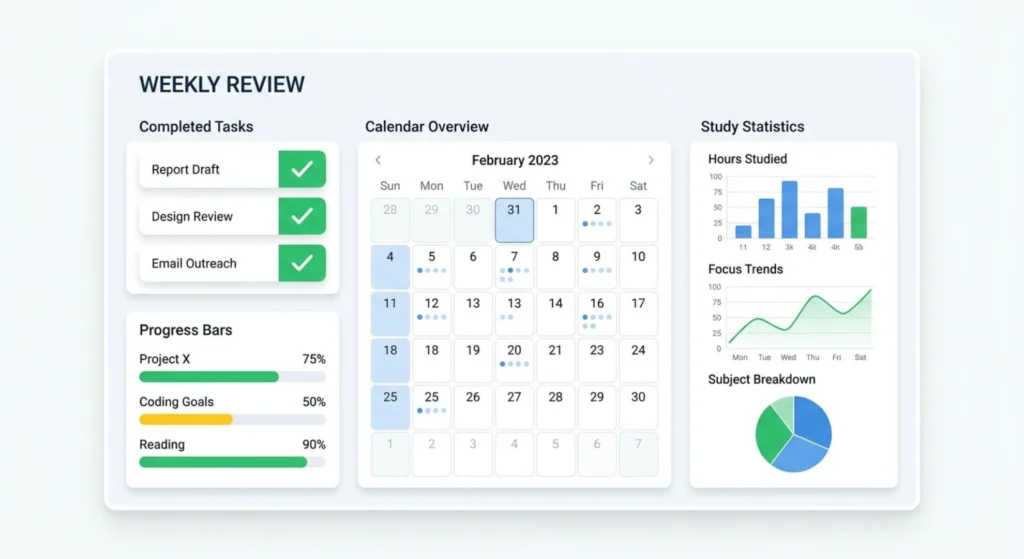
Time management for students isn’t about becoming a productivity robot who studies 12 hours a day and never has fun. It’s about being intentional enough that you get your work done well and still have real time left for the life happening around your degree.
The students who seem effortlessly on top of everything aren’t smarter or more disciplined. They’ve just built systems that make smart choices automatic, so they’re not making the same decision about when to study, what to study, and for how long every single day.
Pick one method from this guide. Build one habit this week. Start with the Sunday planning session, 20 minutes tonight to map out your week. Then add the Pomodoro Technique for your next study session. Small changes, consistently applied, are what actually stick.
You already have the time. You just need the system to use it well.