
Why Most Students Fail at Habit Tracking
Let’s be honest.
You start a new habit with full motivation wake up early, study daily, drink more water… and then suddenly, after 4 – 5 days, everything falls apart.
No system. No tracking. No clarity.
That’s exactly where a Notion habit tracker changes the game.
Most people don’t realize this, but tracking habits isn’t just about checking boxes. It’s about visual feedback, consistency, and building momentum. And Notion gives you a clean, flexible way to do that, without complicated apps or distractions.
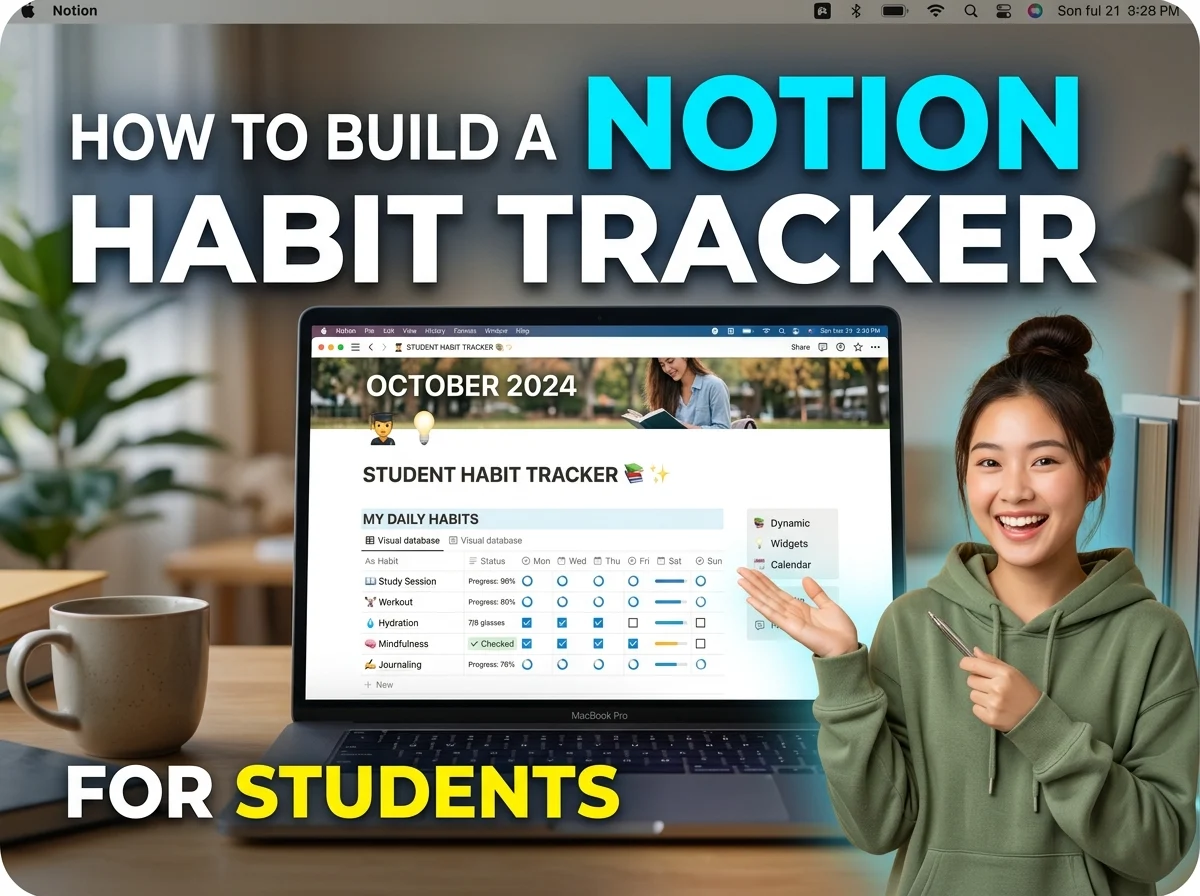
In this guide, you’ll learn how to build a simple but powerful Notion habit tracker for students, even if you’ve never used Notion seriously before.
What Is a Notion Habit Tracker?
A Notion habit tracker is a customizable system inside Notion where you track your daily or weekly habits using checkboxes, databases, or visual progress indicators.
Instead of relying on memory or motivation, you create a structured system that tells you:
- What habits to follow
- Whether you completed them
- How consistent you’ve been over time
Simple Example:
You create a table with habits like:
- Study 2 hours
- Exercise
- Read 10 pages
- Drink 2L water
Each day, you simply tick ✔️ what you completed.
Why Habit Tracking Matters for Students
This isn’t just productivity hype.
Habit tracking works because it builds self-awareness.
Real Benefits:
- You stop guessing and start measuring
- You build discipline through small wins
- You stay accountable without pressure
- You identify patterns (why you fail, when you succeed)
Think of it like this:
“You can’t improve what you don’t track.”
Most students fail not because they’re lazy but because they’re unstructured.
Step by Step: How to Build a Notion Habit Tracker
Let’s build a clean and functional tracker from scratch.
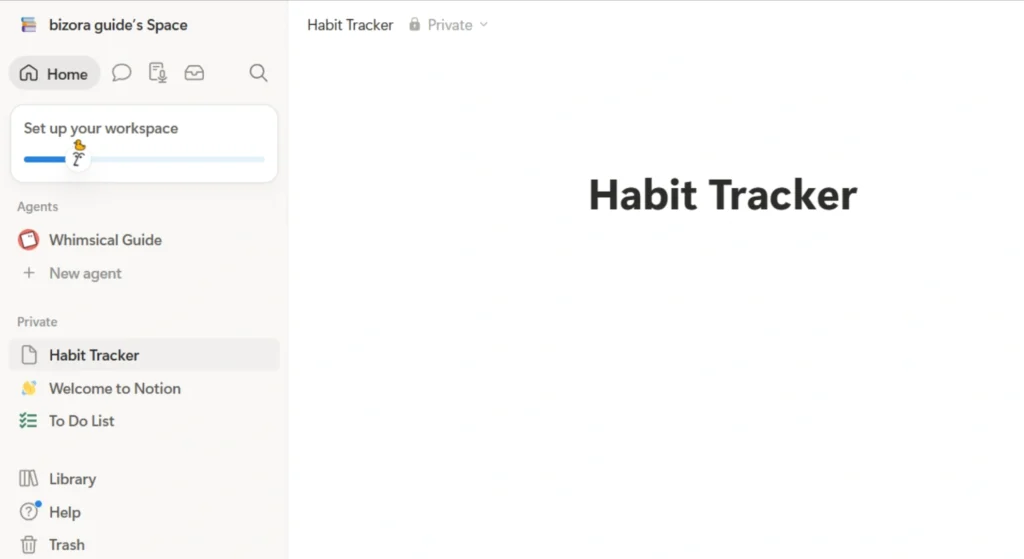
Step 1: Create a New Page in Notion
- Open Notion
- Click “+ New Page”
- Name it: Habit Tracker
Keep it simple. Don’t overdesign at the start.
Step 2: Add a Table Database
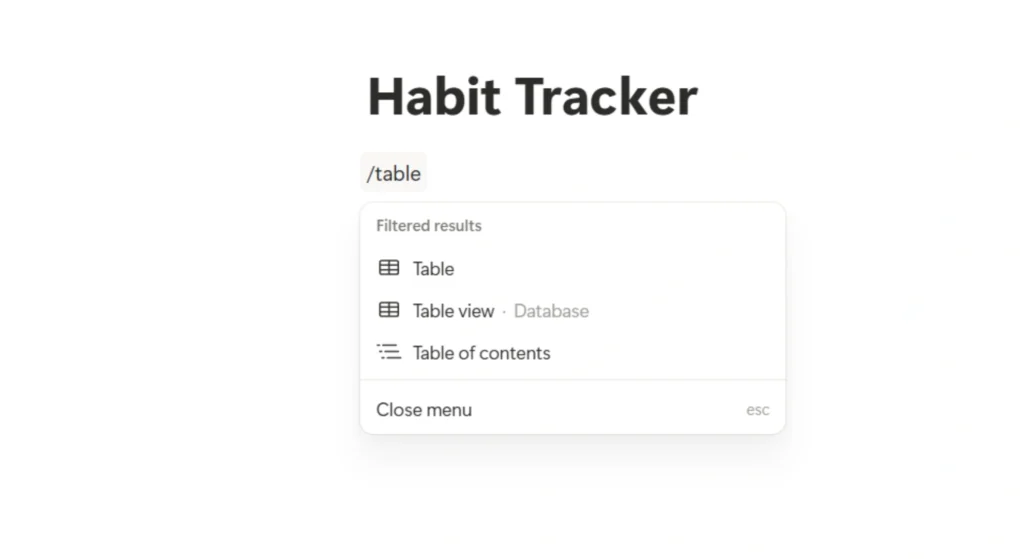
Type:
/tableSelect “Table – Inline”
This will be your main tracking system.
Step 3: Add Habit Columns
Create columns for each habit.
Example:
- Study
- Workout
- Reading
- Water Intake
- No Social Media
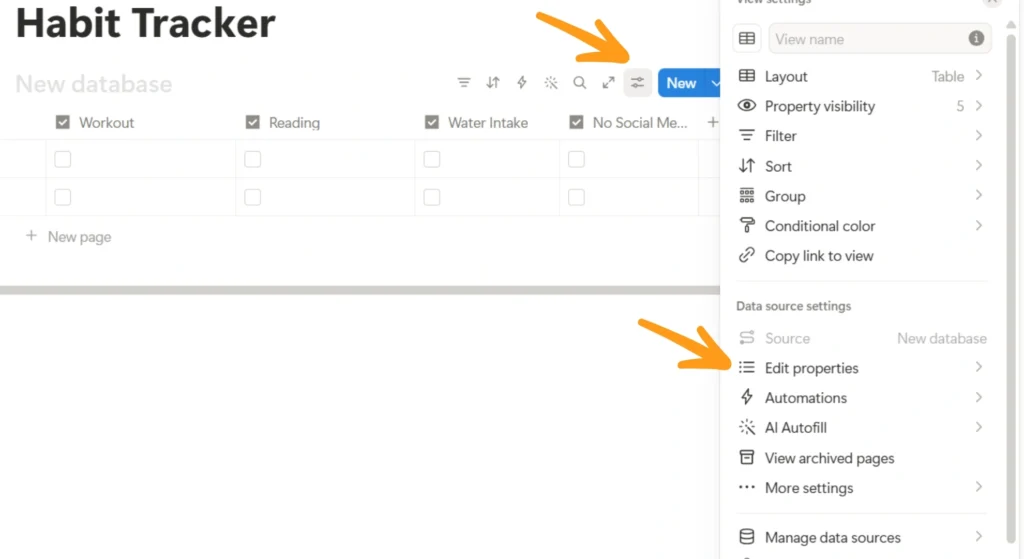
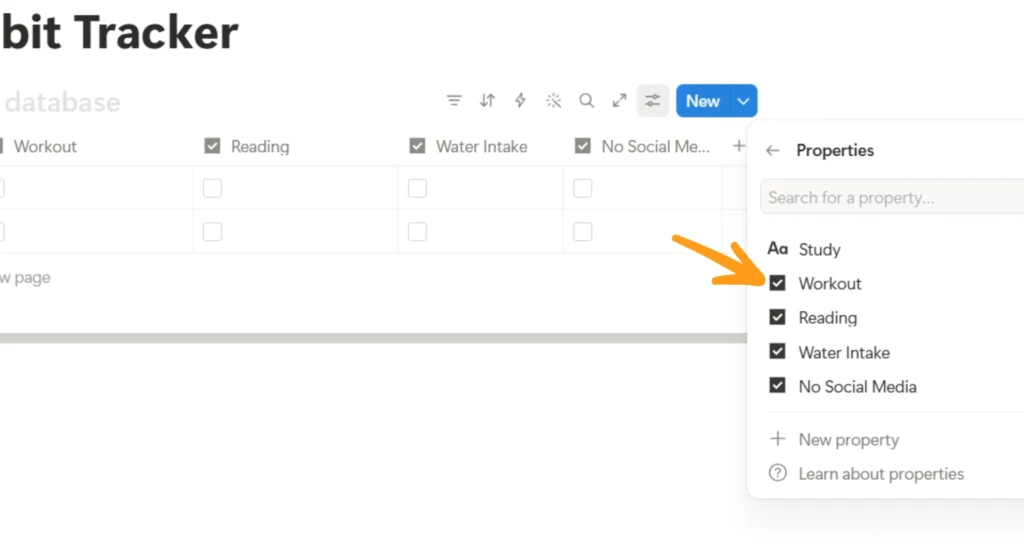
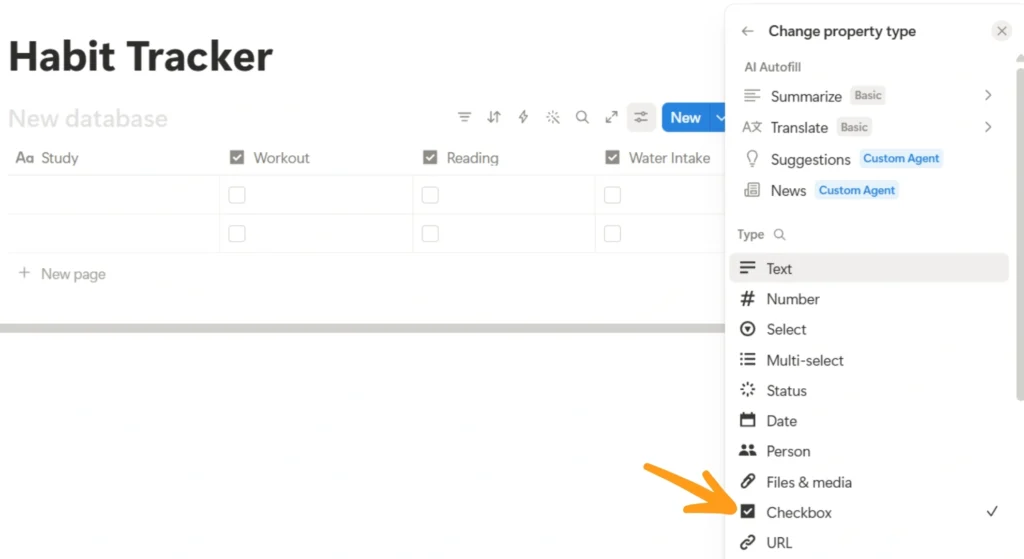
Set each column type to Checkbox
1. First click on setting button and then go to edit properties
2. Then select the property you want to make changes
3. Then select the type
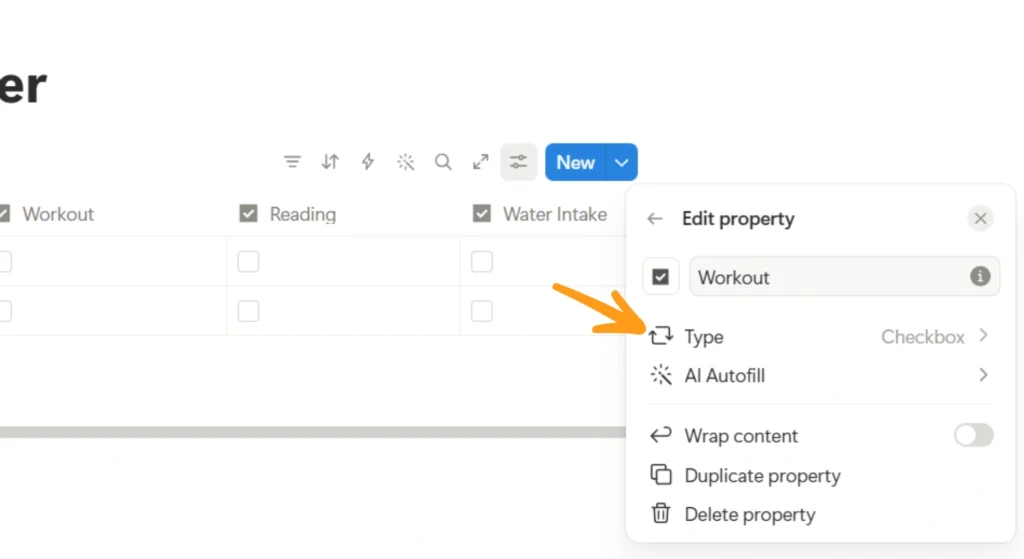
4. Then select the checkbox
Step 4: Add Date Column
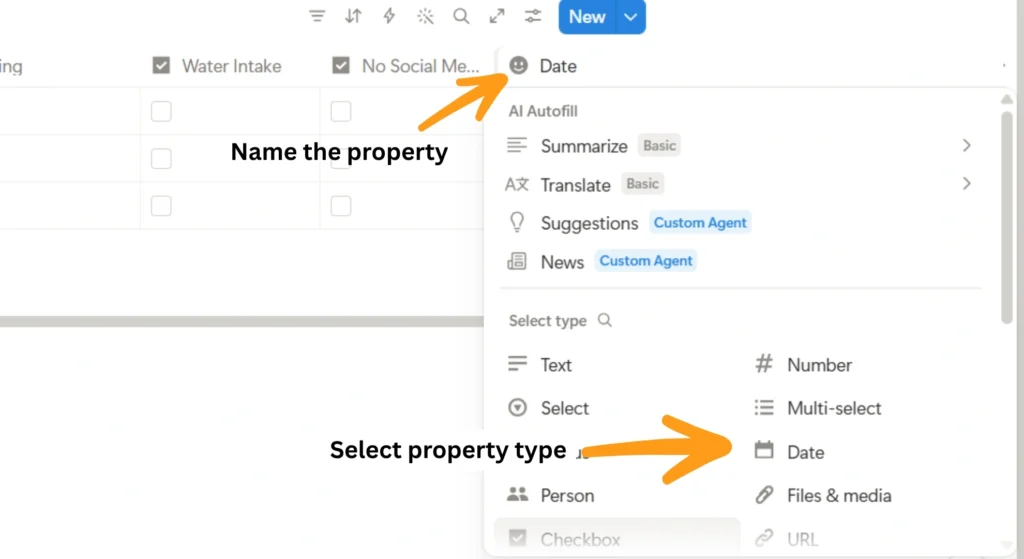
Add a column called:
Date
Set type to Date
This helps you track daily progress clearly.
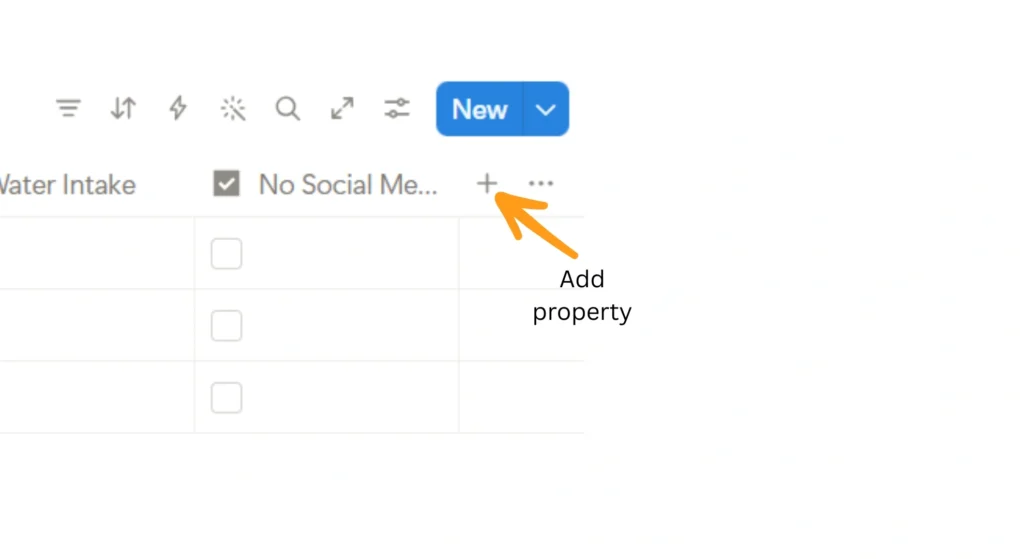
1. First click on this adding new property plus mark
2. Then type the data property name and select property type
Step 5: Start Logging Daily Entries
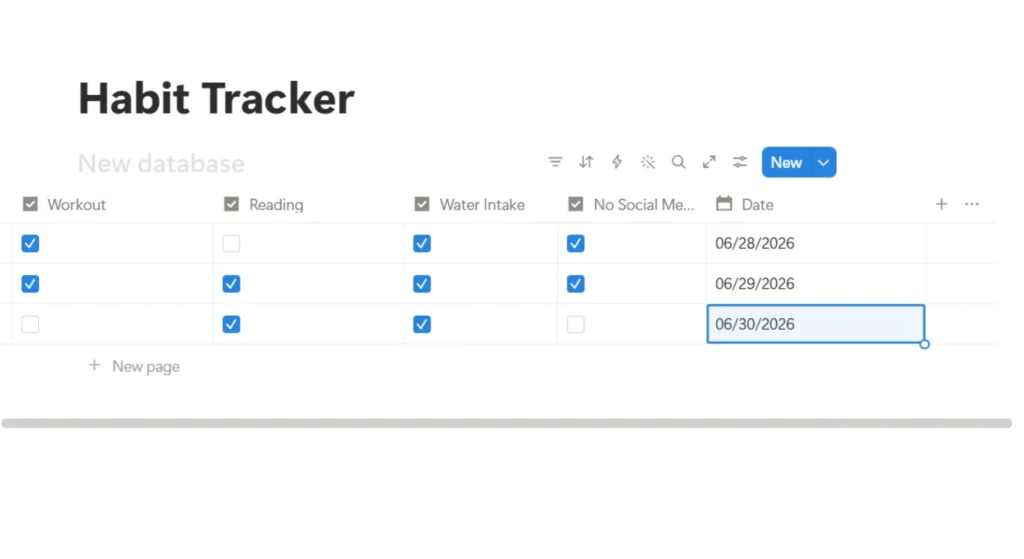
Each row = One day
Example:
| Date | Study | Workout | Reading | Water |
|---|---|---|---|---|
| June 1 | ✔️ | ❌ | ✔️ | ✔️ |
Do this daily. It takes less than 30 seconds.
Step 6: Add a Progress Formula
Here’s where it gets interesting.
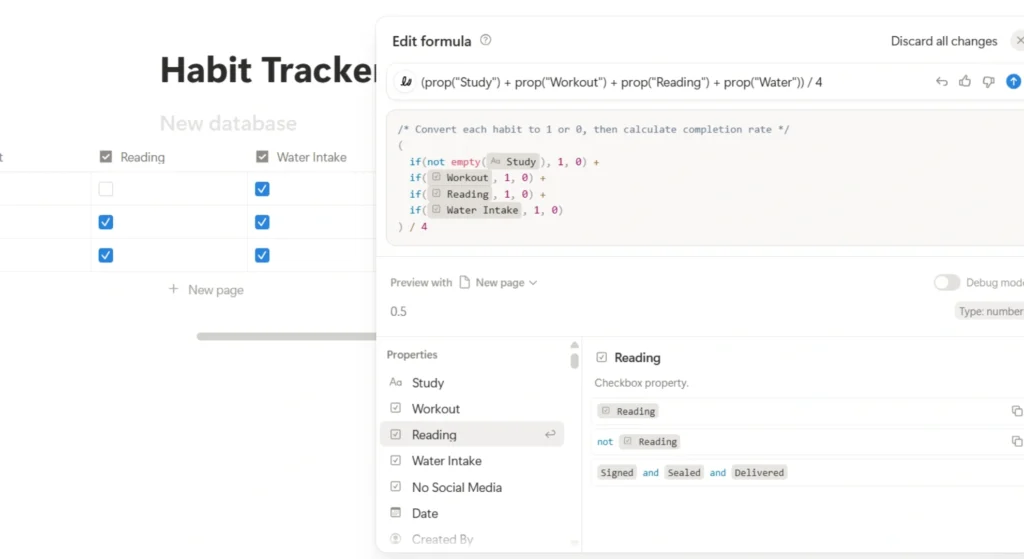
Add a new column → type: Formula
Example formula:
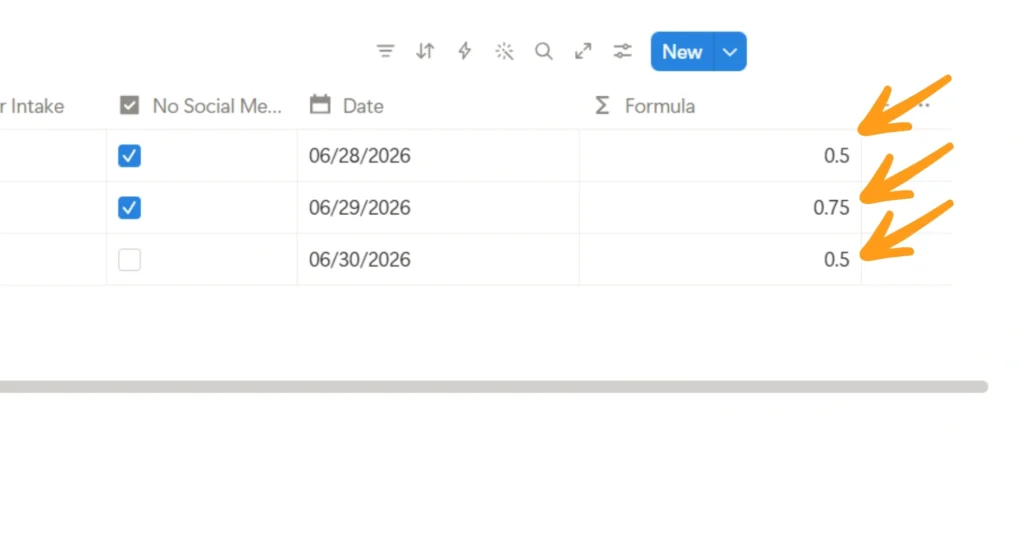
(prop("Study") + prop("Workout") + prop("Reading") + prop("Water")) / 4This shows your daily completion percentage.
1. Add new column and select type as Formula and then add above formula
2. Then it shows data as below
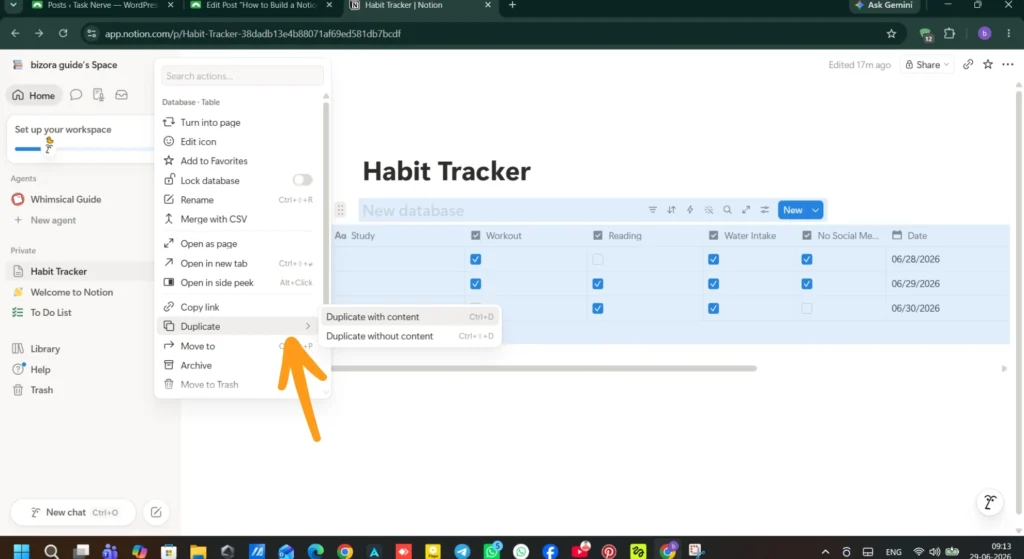
Step 7: Create Weekly View
Duplicate your table → filter by week.
This helps you see:
- How many days you stayed consistent
- Your weak points
Practical Use Case
Let’s say you’re a university student.
You struggle with:
- Procrastination
- Phone addiction
- Inconsistent study routine
You create a Notion tracker with:
- Study 2 hours
- No phone before 10AM
- Revise notes
- Drink water
After 7 days:
You notice:
- You only study on 3 days
- Phone habit breaks consistency
Now you adjust behavior, not guess it.
That’s the power.
Mistakes to Avoid
Most people mess this up. Don’t be one of them.
1. Tracking Too Many Habits
Start with 3 – 5 habits only. More = burnout.
2. Making It Too Complicated
Fancy dashboards don’t build habits. Simplicity does.
3. Skipping Days Without Logging
Even if you fail log it. Data matters more than perfection.
4. Relying on Motivation
Systems beat motivation. Always.
5. Not Reviewing Weekly
Tracking without reviewing = wasted effort.
6. Unrealistic Goals
“Study 10 hours daily” → fail fast.
7. Ignoring Patterns
Your tracker tells a story. Read it.
Pro Tips
These are small tweaks that make a BIG difference.
1. Use Color Coding
Green = Done
Red = Missed
Visual feedback improves consistency.
2. Add a “Notes” Column
Write why you failed or succeeded.
Example:
“Felt tired” / “Woke up early = productive”
This builds self-awareness.
3. Use Weekly Reset System
Every Sunday:
- Review habits
- Adjust difficulty
- Add/remove habits
4. Keep It Visible
Pin your tracker or set it as homepage.
Out of sight = out of mind.
5. Pair Habits Together
Example:
- Study + No phone
- Workout + Music
This builds habit stacking.
6. Track Streaks
Add a column for streak count.
Humans hate breaking streaks it boosts consistency.
Tools & Methods You Can Use
You don’t need external apps, but these help:
Inside Notion:
- Table Database
- Checkbox Fields
- Formula Fields
- Calendar View
Optional Add-ons:
- Free Notion templates
- Widgets (for aesthetics only)
FAQs
1. What is the best way to track habits in Notion?
Use a table database with checkboxes and a date column. Keep it simple and consistent.
2. Is Notion good for habit tracking?
Yes. It’s flexible, customizable, and distraction-free compared to many apps.
3. How many habits should students track?
Start with 3–5 habits. Focus on consistency over quantity.
4. Can I track habits daily in Notion?
Yes. Create a new row for each day and tick completed habits.
5. How do I create a habit tracker template?
Build one table and duplicate it weekly or monthly.
6. Does habit tracking really work?
Yes. It improves awareness, discipline, and consistency over time.
7. What habits should students track?
Study time, reading, exercise, water intake, and screen time control.
8. Can I automate habit tracking in Notion?
Partially, with formulas and templates, but manual input is still needed.
9. How do I stay consistent with habit tracking?
Keep it simple, review weekly, and track daily without skipping.
10. Is Notion better than habit apps?
Depends. Notion is more flexible; apps are more automated.
Conclusion: Start Small, Stay Consistent
Here’s the truth most people ignore:
You don’t need a perfect system.
You need a system you actually use daily.
A simple Notion habit tracker can completely change how you manage your time, energy, and discipline as a student.
Start with 3 habits today.
Track them for 7 days.
Then improve.
That’s how real progress happens—not overnight, but through visible consistency.
External Resources
- Notion Template Gallery
- Notion Help Center – Databases