


A lot of “AI task management” marketing implies the app will basically run your business for you. It won’t. What the good ones actually do is quietly remove small decisions what to prioritize, when to schedule something, how to break down a vague task, that otherwise eat your mental energy dozens of times a day. That’s a meaningfully smaller promise than the marketing suggests, but it’s also a genuinely useful one for someone running a freelance business solo.

This is a look at which AI task apps deliver on that smaller, real promise and which ones just bolt an AI chat window onto an ordinary task list and call it innovation.
What “AI Task Management” Actually Means in Practice

Before comparing apps, it’s worth being specific about what AI features are actually doing under the hood, because the term gets used loosely:
- Auto-prioritization — suggesting what to work on based on deadlines, importance, or your patterns
- Natural language task creation — typing “call Sarah about invoice next Tuesday” and having it correctly parse the date and task
- Smart scheduling — auto-slotting tasks into your calendar based on estimated time and availability
- Summarization — turning meeting notes or long threads into action items
- Predictive suggestions — recommending follow-ups or flagging tasks likely to slip
Not every app on this list does all five. Knowing which of these you actually need narrows the choice fast. Natural language processing basics explained — IBM
Where Freelancers Go Wrong Picking These Apps First
- Choosing based on “most AI features” rather than actual daily friction points. More AI buzzwords doesn’t mean more relevant help for your specific workflow.
- Expecting the AI to understand client context it was never given. These tools work with what you type in, vague input produces vague prioritization.
- Switching apps before the AI has enough data to be useful. Several of these tools improve their suggestions over 2–3 weeks of real use; judging on day two undersells them.
- Ignoring cost creep. Many “AI” tiers sit above the standard plan price, check what you’re actually paying before committing.
- Assuming AI replaces the need for a next-action habit. Even the smartest suggestion engine can’t fix a task list full of vague, undefined items.
The Apps, Compared

| App | Standout AI Feature | Free Tier | Best For | Learning Curve |
|---|---|---|---|---|
| Motion | Auto-scheduling tasks into your calendar | No (trial only) | Freelancers who overbook themselves | Medium |
| Todoist (AI features) | Natural language task entry, smart suggestions | Yes, limited | Simple daily task capture | Low |
| ClickUp | AI writing/summarizing inside tasks, auto-prioritization | Yes, limited AI credits | Freelancers billing hourly, needing structure | Medium-High |
| Notion AI | Summarizing notes, cleaning content in-page | Limited free responses | Freelancers already living in Notion | Low (if using Notion) |
| Reclaim.ai | AI calendar defense — auto-protects focus time | Yes, limited | Freelancers whose calendars get overrun by meetings | Low |
| Akiflow | Universal inbox + AI task triage from multiple apps | Trial only | Freelancers juggling tasks across many tools | Medium |
Motion: Best for Freelancers Who Overbook Themselves

Motion’s core trick is auto-scheduling, you give it tasks with estimated durations and deadlines, and it slots them directly into your calendar, rearranging automatically when something new comes in or a call runs long. For freelancers who chronically underestimate how much fits into a day, this removes the manual replanning that usually happens after every schedule disruption.
The tradeoff: no free tier, and the auto-rescheduling can feel disorienting at first if you’re used to full manual control over your calendar.
ClickUp: Best for Structured, Detail-Heavy Freelance Work
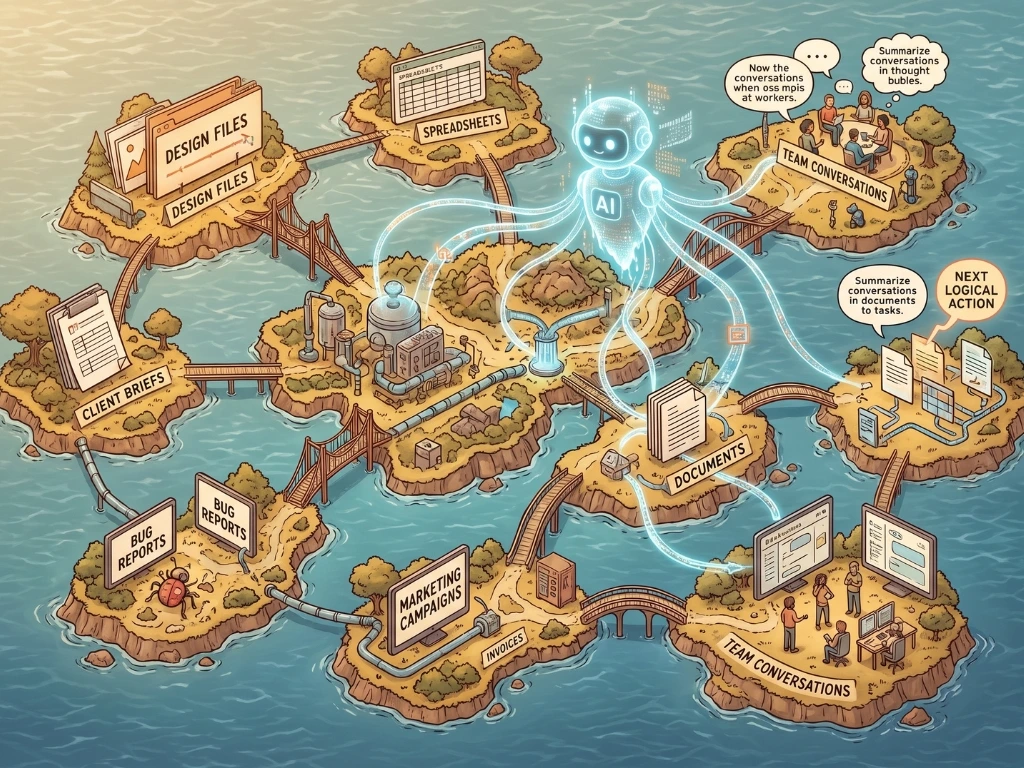
ClickUp’s AI sits inside an already-powerful task and project system, it can draft task descriptions, summarize long comment threads, and suggest priority based on due dates and custom fields you’ve already set up (like client rate or urgency). For freelancers billing hourly across multiple clients, the combination of native time tracking and AI-assisted organization is hard to match.
The tradeoff: this is the most complex tool on the list, and the AI features are genuinely useful only once you’ve built enough structure (custom fields, statuses) for it to work with.
Todoist: Best for Simple, Fast Daily Capture

Todoist’s AI features are quieter than most, mainly natural language date parsing (“submit invoice next Friday” correctly becomes a dated task) and smart suggestions for recurring patterns. It doesn’t try to be an all-in-one system. For freelancers who want a fast, low-friction daily task list without a steep learning curve, that restraint is the point.
Notion AI: Best If You Already Run Your Business Through Notion

Notion AI’s task-related value is less about generating new task lists and more about cleaning up existing ones, turning a messy client call transcript into structured action items directly inside your project pages. It’s not a dedicated task app; it’s a feature layered onto your existing workspace, so it only makes sense if that workspace already exists.
Reclaim.ai: Best for Protecting Focus Time
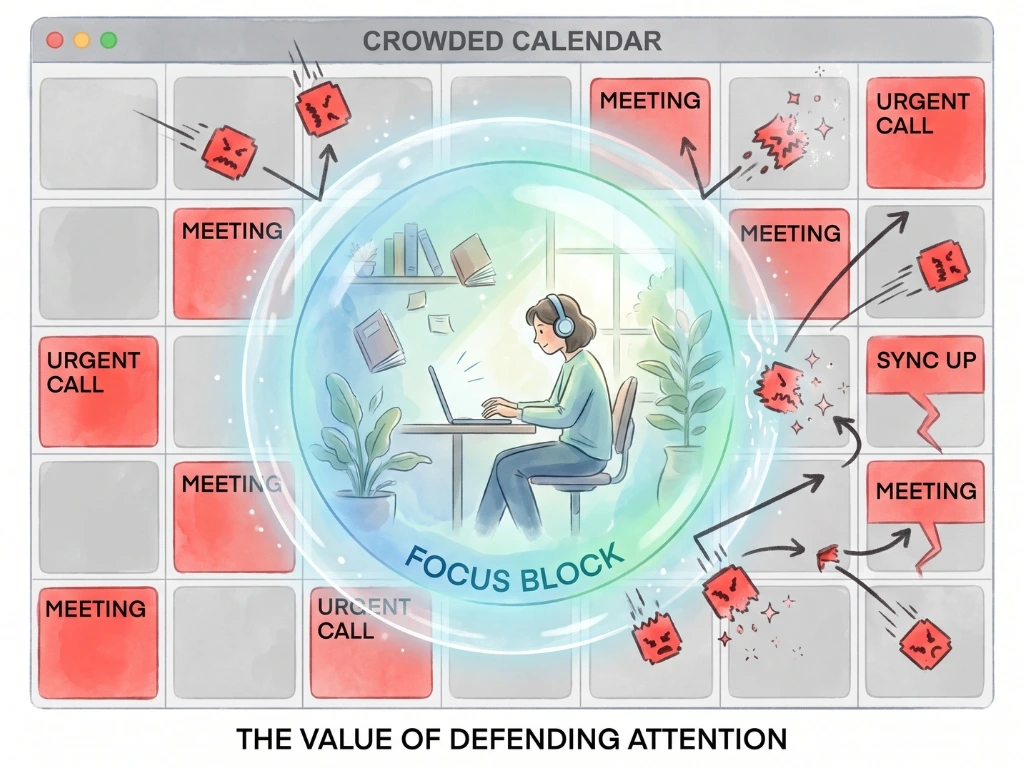
Reclaim works differently from the rest, instead of managing your task list, it defends time on your calendar for tasks and habits you’ve defined, automatically moving them if a meeting gets booked over them. For freelancers whose calendars get eaten by client calls, this solves a specific problem none of the pure task apps address directly.
Akiflow: Best for Juggling Tasks Across Many Tools

If your tasks currently live scattered across email, Slack, Notion, and three other apps, Akiflow’s AI-assisted universal inbox pulls them into one place and helps triage what needs attention first. It’s a narrower use case genuinely valuable if fragmentation is your actual problem, unnecessary if it isn’t.
A Freelancer’s Real Trial Period

A freelance web developer managing four ongoing client contracts tried three of these apps back to back over six weeks two weeks each, deliberately, rather than switching on a whim after a bad first day. Todoist felt fast but didn’t address his actual problem: he wasn’t forgetting tasks, he was consistently overbooking his days. Motion’s auto-scheduling directly addressed that, cutting his end-of-day overrun (tasks pushed to “tomorrow” because today ran out of hours) by roughly half within the second week, once it had enough data on his actual task durations to schedule more realistically.
The lesson wasn’t “Motion is the best app.” It was that matching the tool to the specific friction point, his was overbooking, not forgetting mattered more than any feature list.
Cost Snapshot

| App | Entry Paid Tier | AI Included at Entry Tier? |
|---|---|---|
| Motion | ~$34/month (individual) | Yes, core feature |
| Todoist | Free or ~$4/month (Pro) | Limited AI on Pro |
| ClickUp | Free or ~$7/month (Unlimited) | AI is a separate add-on cost |
| Notion AI | Requires Notion paid plan + AI add-on (~$8–10/month) | Add-on, not included by default |
| Reclaim.ai | Free or ~$8/month (Starter) | Yes, core feature |
| Akiflow | ~$15–20/month, trial only | Yes, core feature |
Pro Tips for Getting Real Value From Any of These
- Give the AI two to three weeks before judging it. Several of these tools (Motion, Reclaim, ClickUp) improve their suggestions as they learn your actual patterns, early impressions often undersell them.
- Feed it specific context, not vague tasks. “Client call” tells an AI scheduler nothing useful. “Client call, 30 min, needs to happen before Thursday” gives it something to actually work with.
- Don’t stack multiple AI task apps simultaneously. Using two different auto-scheduling tools creates conflicting calendar entries and defeats the purpose of automation entirely.
- Recheck pricing before committing long-term. AI feature tiers shift frequently, what’s included at a given price point today may change within the year.
- Use the free trial as a real test, not a demo. Run your actual client workload through it for at least a week rather than testing with dummy tasks that don’t reflect real complexity.
Questions Freelancers Ask About These Tools
- Do I actually need an AI task app, or is a regular one enough? If your main problem is remembering tasks, a regular task app solves that fine. AI features earn their cost when your problem is more specific, chronic overbooking, calendar fragmentation across tools, or manually re-prioritizing a long list daily.
- Which of these is cheapest for a freelancer just starting out? Todoist’s free tier or Reclaim’s free tier both offer genuine AI-adjacent value without payment. Motion and Akiflow require payment from the start, with no meaningful free tier.
- Can these apps handle client-specific task organization, not just personal to-dos? ClickUp handles this best via custom fields (client name, rate, project). Others can approximate it with tags or projects, but weren’t purpose-built for multi-client structuring the way ClickUp was.
- Is the AI actually smart, or just automating simple rules? Mostly the latter and that’s fine, auto-scheduling based on duration and deadline, or parsing “next Tuesday” into a date, isn’t sophisticated reasoning, but it reliably removes small manual steps, which is where the real time savings come from.
- How long before an AI scheduler like Motion actually learns my patterns? Most users notice meaningfully better suggestions after roughly two to three weeks of consistent, real use, it needs enough completed and rescheduled tasks to calibrate against.
- Will an AI task app work if my freelance work is highly unpredictable? Somewhat, but expect more manual overrides. These tools work best with recurring patterns; a schedule that changes completely every week gives the AI less to learn from.
- Can I trust these tools with confidential client information? Treat any cloud-based tool cautiously with genuinely sensitive data. Check each app’s specific data policy before entering client financial details or contractual specifics.
- Is it worth paying for AI features, or should I stick to the free tier? Depends entirely on whether the free tier’s limitation is the thing actually costing you time. If free-tier AI response limits are rarely hit, there’s no reason to upgrade yet.
- What’s the biggest mistake freelancers make when adopting these tools? Picking based on the longest feature list rather than their one specific daily friction point, overbooking, fragmentation or vague prioritization each point toward a different tool on this list.
- Can I switch between these apps later without losing my task history? Generally yes, via export/import, though it’s manual rather than seamless. Plan for some data cleanup time if you switch after several months of accumulated tasks.
Choosing Yours
None of these apps think for you, despite what the marketing implies. What they actually do, at best, is remove a handful of small daily decisions that add up to real mental relief over a month.
Match the tool to your specific friction point: overbooking points to Motion, fragmentation points to Akiflow, calendar protection points to Reclaim, and detailed multi-client structure points to ClickUp. Pick one, give it two real weeks and let your actual workload, not the feature list tell you if it’s earning its place.