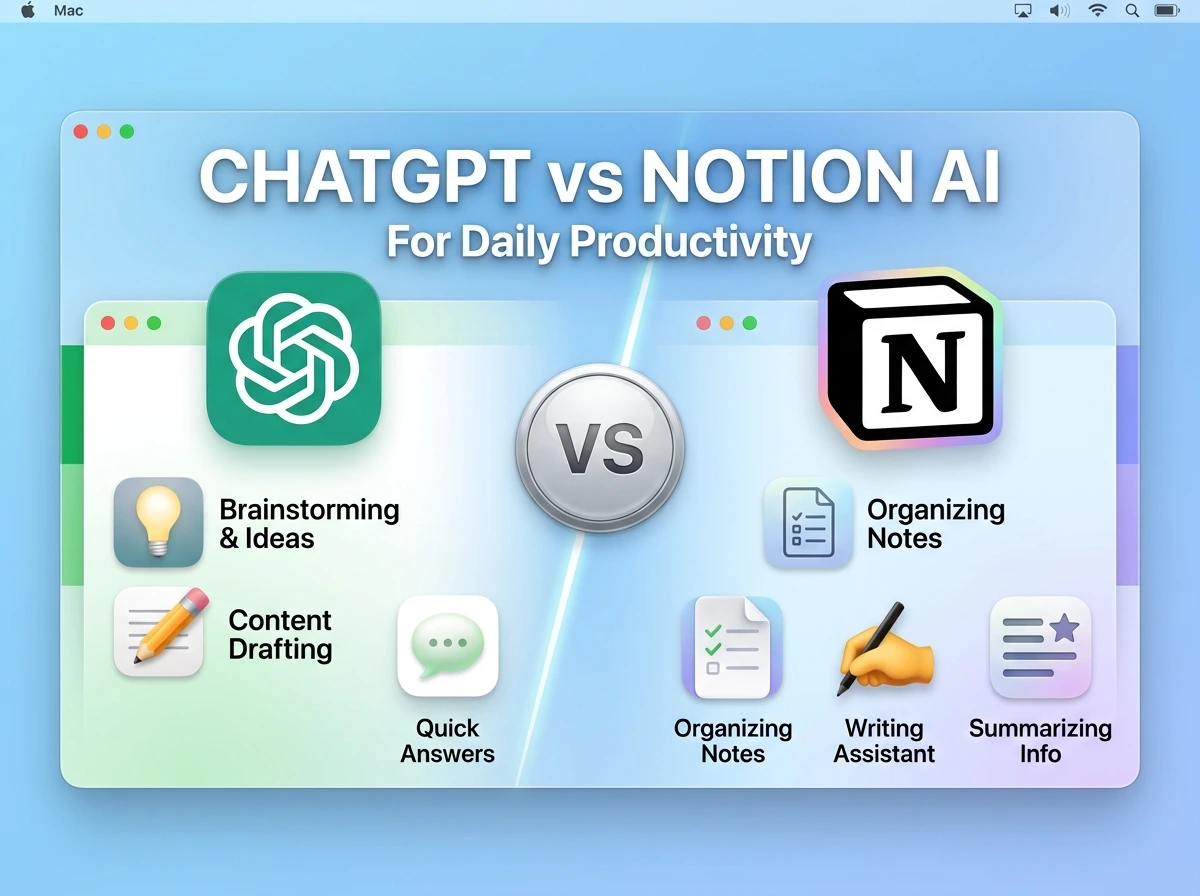
Quick myth-bust before anything else: these two tools aren’t really competing for the same job, even though they get compared constantly. ChatGPT is a general-purpose thinking partner you bring context to. Notion AI is a feature embedded inside your existing workspace, built to act on content that’s already sitting in your pages and databases. Comparing them head-to-head only makes sense once you understand they solve different shaped problems and for daily productivity, that distinction changes which one actually saves you time.
If you’ve been wondering whether to cancel one subscription in favor of the other, or whether you even need both, this breaks down exactly where each pulls ahead.
What Each Tool Is Actually Built For
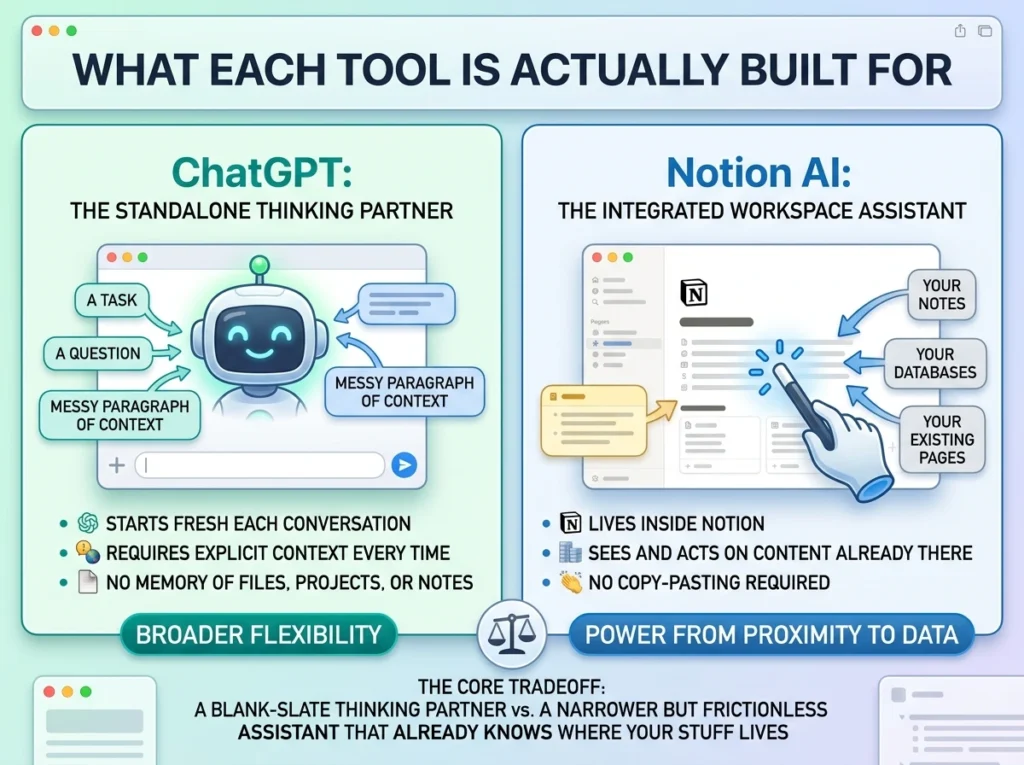
ChatGPT is a standalone conversational AI. You bring it a task, a question, or a messy paragraph of context, and it responds. It has no memory of your files, your projects, or your existing notes unless you paste that information in yourself, each time.
Notion AI lives inside Notion, which means it can see and act on the content already in your workspace your notes, your databases, your existing pages without you having to copy-paste anything. Its power comes from proximity to your data, not from being a more capable model.
This is the core tradeoff: ChatGPT gives you a blank-slate thinking partner with broader flexibility. Notion AI gives you a narrower but frictionless assistant that already knows where your stuff lives.
Mistakes People Make Comparing These Two
Before the detailed breakdown, a few misconceptions worth clearing up:
- Assuming Notion AI is “ChatGPT inside Notion.” It’s a related but distinct feature, often less flexible for open-ended reasoning, but far less friction for workspace-specific tasks.
- Expecting ChatGPT to remember your notes automatically. Without manually pasting context in, ChatGPT starts every conversation blank. Notion AI doesn’t have this problem for content already in your workspace.
- Paying for both without a clear division of labor. Using both without deciding which handles what usually means defaulting to whichever is open, not whichever is actually better suited to the task.
- Judging Notion AI by ChatGPT’s general reasoning standard. It’s not trying to be the smartest model available, it’s trying to be the most convenient one for the content you already have.
Head-to-Head Comparison
| Category | ChatGPT | Notion AI |
|---|---|---|
| Best for | Open-ended thinking, drafting, planning | Acting on existing notes/pages instantly |
| Needs manual context pasted in? | Yes, every time | No — reads workspace content directly |
| Standalone or embedded? | Standalone app/browser | Embedded inside Notion |
| Free tier available? | Yes, generous | Limited free trial responses, then paid |
| Learning curve | Low | Very low (if already using Notion) |
| Works outside a specific app? | Yes, universally | No — tied to Notion |
| Strongest daily use case | Drafting, decision support, planning | Summarizing notes, cleaning messy text |
Where ChatGPT Pulls Ahead
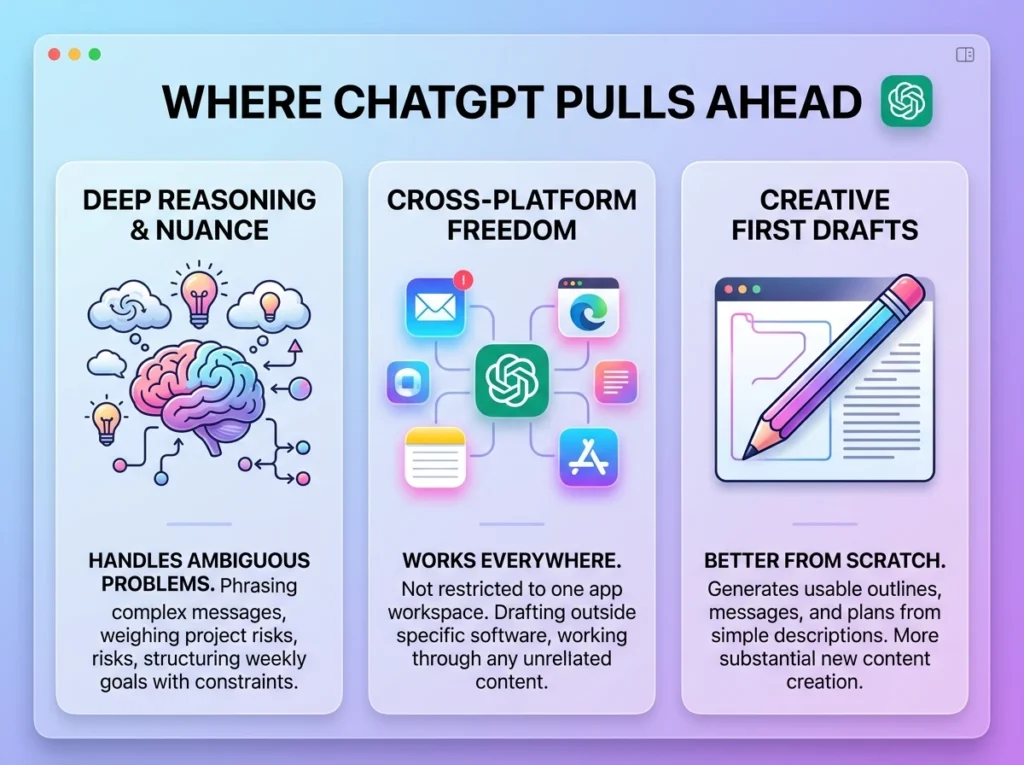
Open-ended reasoning and decision support. When you need to think through a genuinely ambiguous problem how to phrase a difficult message, whether to take on a project, how to structure your week around real constraints. ChatGPT’s conversational depth handles nuance better than a workspace-embedded feature designed for quick, contained edits.
Works everywhere, not just inside one app. ChatGPT doesn’t care what tool your information lives in. Whether you’re drafting an email, brainstorming outside of any specific software, or working through something entirely unrelated to your notes, it’s available without needing that content to already exist inside Notion.
Better for first drafts from scratch. Asking ChatGPT to write an outline, a message, or a plan from a description of your situation tends to produce more usable first passes than asking Notion AI to generate similar content. Notion AI is stronger at editing and transforming existing text than creating substantial new content from a vague prompt.
Where Notion AI Pulls Ahead
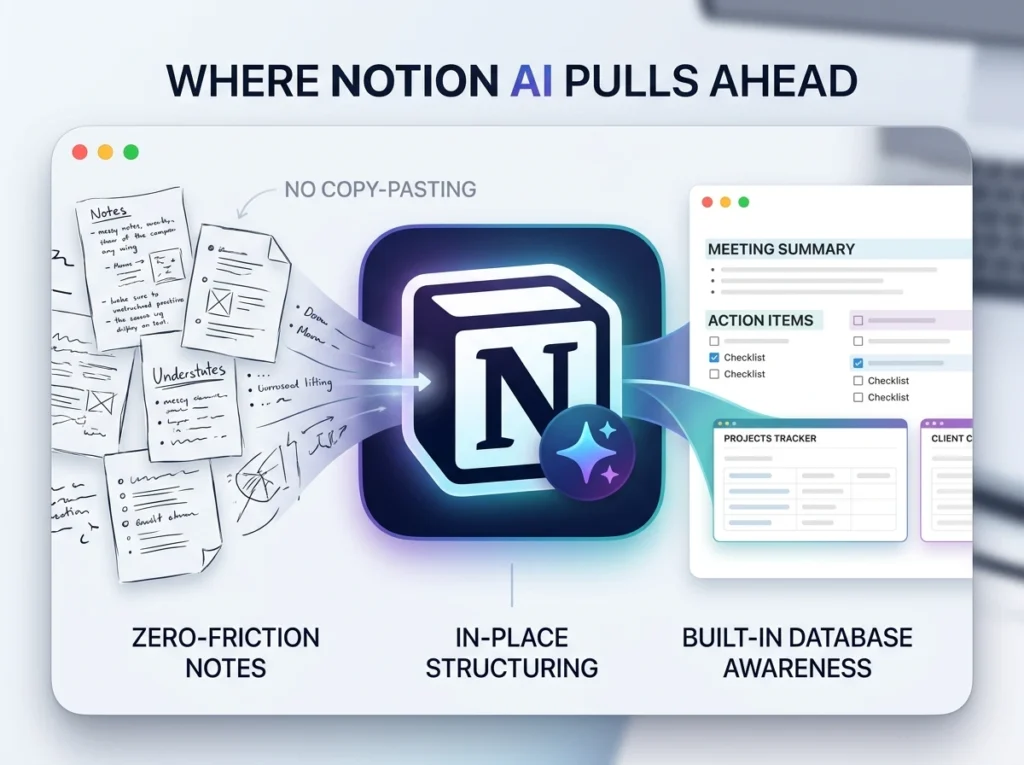
Zero-friction access to your existing notes. If your meeting notes, project details, and task lists already live in Notion, asking Notion AI to summarize or clean them up requires no copy-pasting. That friction removal is a bigger daily time-saver than it sounds, the two minutes of copying content into ChatGPT and back adds up across dozens of small tasks a week.
Turning messy notes into structured content, in place. Notion AI can take a rough, bullet-pointed brain dump directly inside a page and reorganize it into headers, action items, or a cleaner structure without you ever leaving that page or losing your original formatting context.
Built-in database awareness. Because it operates inside your workspace, Notion AI can work with the structure you’ve already built, your Projects database, your Client tracker in ways a general chatbot pasted content into can’t naturally do.
A Practical Scenario: Same Task, Two Tools
Imagine you just finished a 45-minute client call and have a page of rough, half-typed notes.
Using ChatGPT: You’d copy the notes out of wherever you took them, paste them into ChatGPT, ask for a clean summary with action items, then copy the response back into your notes or task manager. Three steps, roughly 60–90 seconds of friction beyond the actual thinking time.
Using Notion AI: If the notes are already typed directly into a Notion page, you highlight the text, trigger the AI action, and get a cleaned-up summary generated right there no copying, no switching tools, no reformatting after the fact.
For this specific task, Notion AI wins purely on friction. But if those same notes lived in a random notes app, an email draft, or nowhere structured yet, ChatGPT would be equally fast, because the friction of “getting content in front of the tool” didn’t exist in the first place.
Cost Comparison for Daily Use
| Plan | ChatGPT | Notion AI |
|---|---|---|
| Free tier | Yes — generous daily use for most people | Limited number of free AI responses, then requires payment |
| Entry paid tier | ~$20/month (faster responses, higher limits) | Bundled into Notion’s paid plans, often ~$8–10/month add-on |
| Standalone use | Yes — works without any other subscription | No — requires an active Notion account |
| Best value if… | You want a flexible tool usable across your whole day | You already live inside Notion for notes and task tracking |
If you’re not already a heavy Notion user, paying for Notion AI specifically doesn’t make sense, you’d be paying for proximity to a workspace you don’t use daily. If you already run your entire work life through Notion, the AI feature becomes proportionally more valuable because it removes friction from tasks you’re already doing there.
Who Should Actually Choose Which
Choose ChatGPT as your primary daily tool if: your work is spread across multiple apps and tools, you frequently need open-ended thinking support (planning, drafting, decision-making), or you don’t currently use Notion as your main workspace.
Choose Notion AI as your primary daily tool if: you already run your notes, projects, and tasks through Notion, and your main AI need is cleaning up and acting on content that’s already there rather than generating new ideas from scratch.
Use both, with a clear division, if: you’re a heavy Notion user who also needs open-ended thinking support beyond what workspace-embedded AI handles well. In this case, Notion AI cleans up your notes in place; ChatGPT handles the harder thinking, drafting difficult messages, working through ambiguous decisions, planning around real constraints.
Pro Tips for Getting More From Either
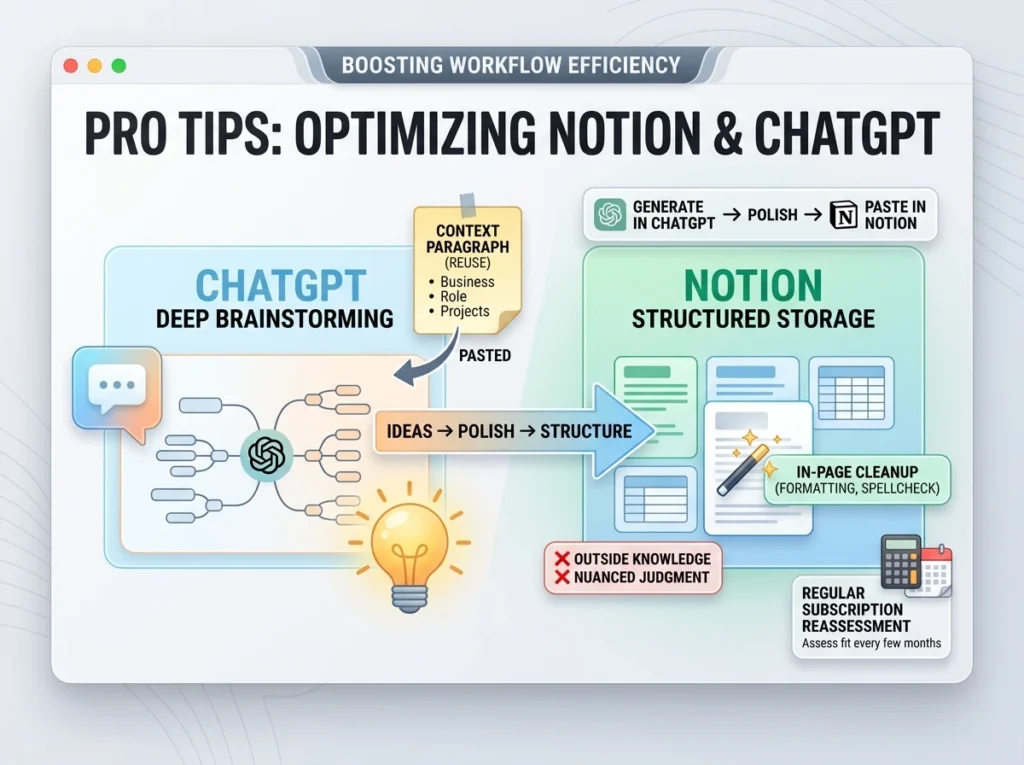
- Don’t ask Notion AI to do ChatGPT’s job. For genuinely open-ended brainstorming or complex reasoning, paste the relevant Notion content into ChatGPT instead of expecting the embedded feature to match that depth.
- Use ChatGPT’s output, then paste the polished version back into Notion. This combination – ChatGPT for generation, Notion for storage and structure is often more effective than trying to make one tool do both jobs.
- Build a “context paragraph” you reuse with ChatGPT. Since it doesn’t remember your workspace, keep a short saved description of your business, role, or ongoing projects to paste in whenever you need contextual help, it dramatically improves output quality for daily reuse.
- Use Notion AI specifically for repetitive in-page cleanup, not for anything requiring outside knowledge or nuanced judgment, that’s its actual strength zone.
- Reassess your subscription every few months, not just once. As your workflow shifts, more Notion-centric, or more scattered across apps, which tool earns its cost can genuinely change.
FAQs
- Is Notion AI just ChatGPT with a different interface?
Not exactly. Notion AI uses underlying language models but is built specifically for in-workspace tasks like summarizing, rewriting, and generating structured content from existing pages, it’s narrower in scope than ChatGPT’s general-purpose design. - Can I use ChatGPT and Notion AI together?
Yes, and it’s a common setup for heavy Notion users, Notion AI handles quick in-page cleanup, while ChatGPT handles more open-ended thinking, drafting, or planning outside the workspace. - Do I need to pay for both if I want full productivity coverage?
Not necessarily. Many people get by with just ChatGPT’s free tier for daily thinking support, using Notion without its AI add-on for pure organization. Paying for both makes more sense once you’re using each one daily for its specific strength. - Which is better for summarizing meeting notes?
If your notes are already typed into Notion, Notion AI wins on convenience, no copy-pasting required. If your notes live somewhere else, ChatGPT handles the summarization equally well once you paste the content in. - Is ChatGPT’s free tier good enough for daily productivity use?
For most people, yes. Drafting, planning, and general assistance work well on the free tier. The paid tier mainly adds speed, higher usage limits, and more advanced reasoning for complex tasks. - Does Notion AI work if I don’t use Notion for anything else?
Technically yes, but there’s little reason to pay for it in isolation, its main advantage is acting on content you’ve already built inside Notion. Without that existing workspace, you’re paying for proximity to nothing. - Which tool is more reliable for accurate, up-to-date information?
Neither should be treated as a primary fact-checking source without verification. Both can produce outdated or incorrect specifics depending on their underlying model and whether browsing is enabled, always verify anything numerical or time-sensitive. - Can Notion AI generate entirely new content, or just edit existing text?
It can do both, but it’s noticeably stronger at editing, summarizing, and restructuring existing content than generating substantial new material from a vague prompt, that’s where ChatGPT tends to produce more usable first drafts. - Is switching between the two tools during a workday disruptive?
Less than it sounds, once you have a clear division of labor. The friction comes from using them interchangeably without a plan deciding in advance which handles which type of task removes most of the switching cost. - What’s the most common mistake people make when choosing between these two?
Comparing them as if they’re direct competitors doing the same job, when they’re actually solving differently shaped problems, one is a general-purpose thinking partner, the other is a convenience feature tied to a specific workspace.
Bottom Line
These two aren’t rivals fighting for the same use case, even though the comparison gets framed that way constantly. ChatGPT is the better choice when you need flexible, open-ended thinking support that works anywhere. Notion AI is the better choice when your daily friction point is specifically about acting on content that already lives inside Notion.
If you’re only going to use one, let your actual daily habits decide: heavy Notion user with in-page cleanup needs → Notion AI. Scattered across tools with a need for real thinking support → ChatGPT. And if you’re genuinely using Notion as your operating system already, there’s a real case for both, each handling the part it’s actually built for.