Quick question: when was the last time you used ChatGPT for something other than writing? If your answer is “mostly just drafting emails and captions,” you’re using maybe a third of what it’s actually useful for in a normal workday.
Most people treat ChatGPT like a writing assistant with occasional research skills. That’s fine, but it undersells what it can actually handle decision-making support, daily planning, meeting prep, even untangling messy thoughts before a difficult conversation. The gap between “using ChatGPT” and “getting real daily value from ChatGPT” usually comes down to how specifically you frame what you’re asking for.
This isn’t a list of clever prompts to copy-paste. It’s a look at how ChatGPT actually fits into a working day when you stop treating it like a search engine and start treating it like a thinking partner.
The Real Limitation Isn’t ChatGPT — It’s the Prompt
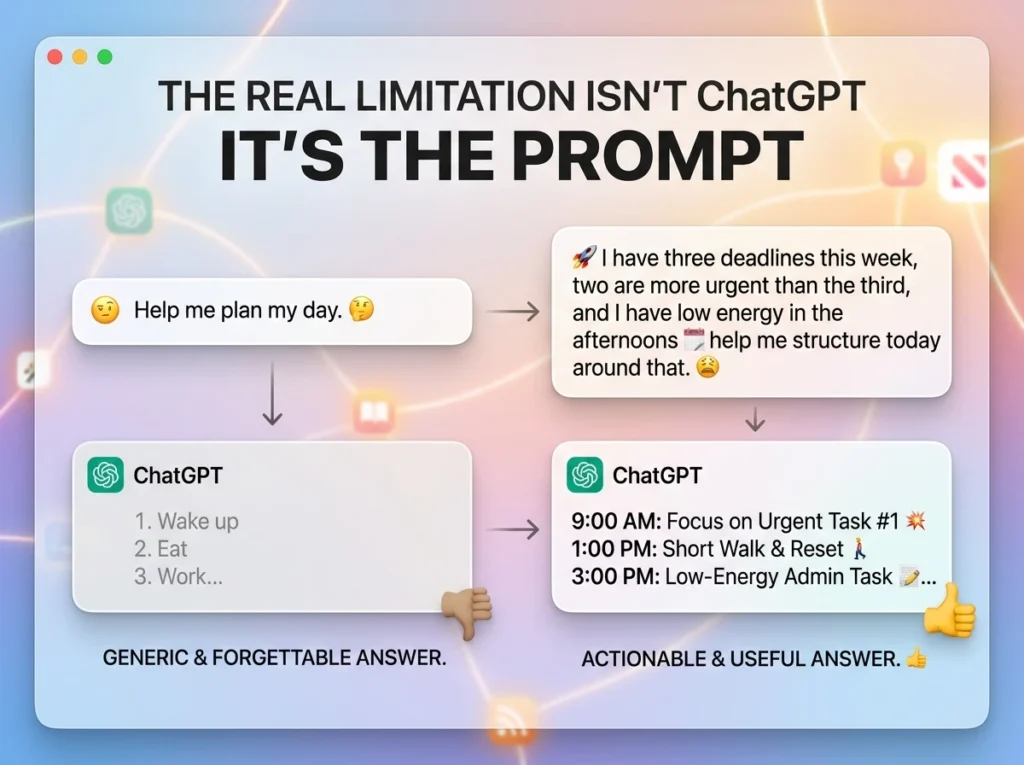
Before getting into specific use cases, it’s worth naming the actual problem people run into. ChatGPT rarely fails because it “doesn’t understand.” It fails because the input was vague.
“Help me plan my day” gets a generic, forgettable answer. “I have three deadlines this week, two are more urgent than the third, and I have low energy in the afternoons help me structure today around that” gets something you can actually use. The tool’s usefulness scales almost directly with how much real context you give it.
Everything below assumes you’re bringing specifics, your actual tasks, your actual constraints not asking in the abstract.
Where ChatGPT Genuinely Saves Time vs. Where It Doesn’t
| Task Type | ChatGPT Helps | Why / Why Not |
|---|---|---|
| First drafts (emails, messages, outlines) | ✅ Strong | Removes blank-page friction; you edit rather than create from scratch |
| Daily/weekly planning | ✅ Strong | Structures priorities fast when you give real constraints |
| Decision untangling | ✅ Strong | Forces you to articulate options you were holding vaguely in your head |
| Meeting prep and follow-up | ✅ Strong | Summarizes notes, drafts recap emails in seconds |
| Learning something quickly | ✅ Moderate | Good for concepts, weak for anything needing current, verified data |
| Real-time facts or current events | ❌ Weak | Free tier without browsing can give outdated or invented details |
| Highly sensitive/confidential work | ❌ Avoid | Free tier data may be used for training — don’t paste client secrets |
| Final, client-facing copy | ⚠️ Caution | Always needs a human edit pass — raw output often sounds generic |
Five Ways to Actually Use It Daily
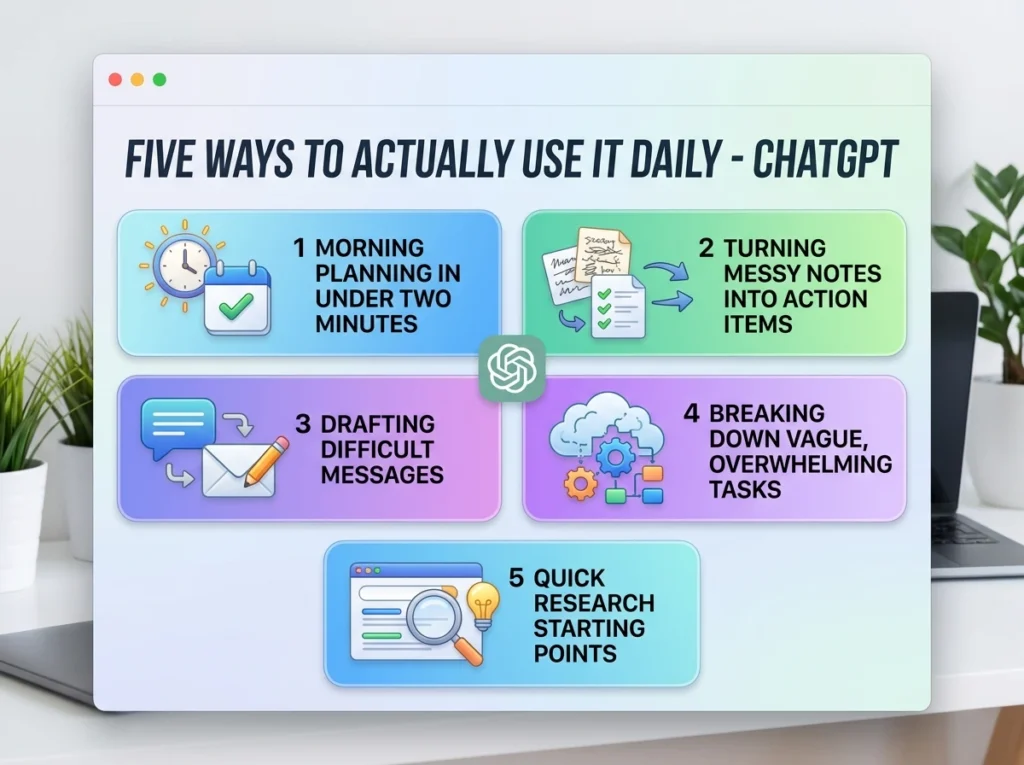
Morning Planning in Under Two Minutes
Instead of opening five tabs to figure out your day, give ChatGPT your actual task list plus your real constraints energy levels, meeting times, hard deadlines and ask it to sequence your day. The value isn’t that it’s smarter than you about your own schedule. It’s that offloading the sequencing decision to a fast first pass frees up mental energy for the actual work.
Turning Messy Notes Into Action Items
After a call or meeting, paste your rough, half-typed notes in and ask for a clean summary with clear next steps. This is one of the highest-value daily uses because it replaces something genuinely tedious re-reading your own scribbled shorthand with something instant.
Drafting Difficult Messages
Awkward emails chasing late payment, pushing back on scope creep, declining a request eat disproportionate mental energy because you’re trying to be firm and polite simultaneously. Give ChatGPT the situation honestly (including your actual relationship with the person) and edit the draft to sound like you. What takes 20 minutes of staring at a blank screen becomes a 3-minute edit job.
Breaking Down Vague, Overwhelming Tasks
“Write the report” is not a task, it’s a category. When something feels too big to start, describe it to ChatGPT and ask for a breakdown into the smallest possible first steps. This works because naming the first physical action (“open the doc and write one paragraph outlining scope”) removes the ambiguity that causes procrastination in the first place.
Quick Research Starting Points
For general concepts, comparisons, or getting oriented on an unfamiliar topic before a meeting, ChatGPT gives you a fast first pass. Treat it as a starting map, not a final source verify anything specific, current, or numerical before repeating it to someone else.
A Simple Weekly Structure Worth Trying
| Day | ChatGPT Use | Time Cost | Typical Time Saved |
|---|---|---|---|
| Monday | Weekly priority sequencing from your task list | 3 min | 15–20 min |
| Tuesday–Thursday | Meeting note cleanup, draft messages as needed | 5 min/use | 10–20 min/use |
| Friday | Weekly wrap-up summary + next week’s open items | 5 min | 20 min |
This isn’t a rigid schedule it’s a rhythm. The specific days matter less than building the habit of reaching for it at predictable points instead of only when you’re already overwhelmed.
A Freelance Consultant’s Actual Week
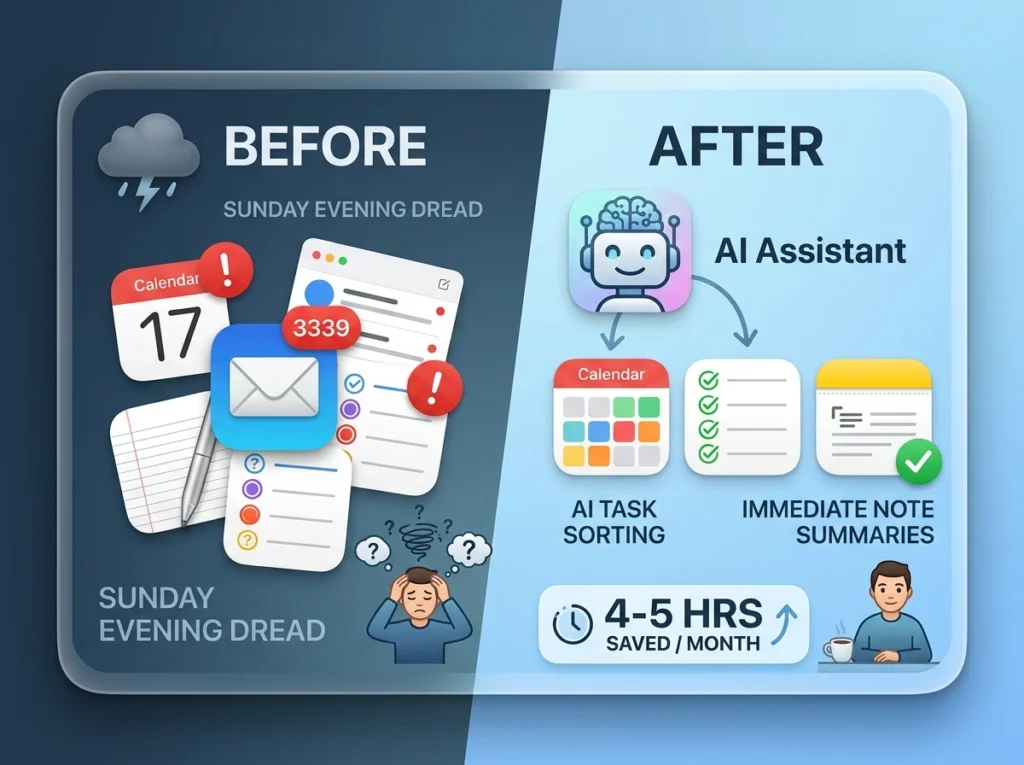
Marcus runs an independent consulting practice no assistant, no team, just him juggling client calls, proposals, and the admin that comes with running a one-person business. He used to spend his Sunday evenings dreading Monday because he’d lost track of what was actually urgent versus what just felt urgent.
He started giving ChatGPT his real weekly task list every Sunday night, along with honest constraints, which days had back-to-back calls, which mornings he had more mental bandwidth. The output wasn’t perfect, but it gave him a starting sequence instead of a blank Monday. He also began pasting his rough call notes in immediately after client meetings instead of leaving them to decay into indecipherable shorthand by Thursday.
The time saved wasn’t dramatic in any single instance, a few minutes here, ten there. But across a month, he estimated it freed up roughly four to five hours he’d previously spent on planning and admin friction. More than the time, though, he noticed the mental relief of not carrying every task in his head simultaneously.
Common Mistakes That Waste the Tool’s Potential
- Asking vague questions and expecting sharp answers. “Help me be more productive” produces generic advice you’ve already heard. Specific situations produce specific, usable output.
- Treating every output as final. ChatGPT drafts are starting points. Skipping the edit pass is how generic-sounding, obviously-AI content ends up in front of clients.
- Pasting sensitive information into the free tier. Client contracts, financial details, or anything confidential shouldn’t go into a tool where you’re not certain how the data is handled.
- Using it for facts that need to be current or precise. Without live browsing enabled, free-tier ChatGPT can be confidently wrong about recent events or specific numbers. Verify before repeating.
- Abandoning it after one unhelpful reply. Often the fix isn’t a different tool, it’s adding the context you left out the first time.
- Never building a repeatable habit. Using it occasionally, whenever you remember, means you never build the muscle memory that makes it genuinely fast to reach for.
Pro Tips for Getting Sharper Results
- Give it a role and a constraint, not just a task. “As a blunt but fair editor, tell me what’s weak about this paragraph” produces better feedback than “check this.”
- Ask it to ask you questions first. For anything complex — a proposal, a difficult message, prompt it with “ask me clarifying questions before drafting this.” You’ll often realize what you actually meant partway through answering.
- Keep a running list of prompts that worked well for you specifically. Not generic prompt libraries from the internet, your own, built from what’s actually produced useful output for your situations.
- Use it to argue against your own decision. Before committing to something, ask it to make the strongest case against your plan. It’s a fast way to stress-test thinking without needing to find another person’s time.
- Set boundaries on tone explicitly. “Keep this under 100 words, no fluff, no exclamation points” gets dramatically better results than hoping the default tone matches what you need.
Questions People Actually Ask
- Is the free version of ChatGPT good enough for daily tasks, or do I need to pay? For drafting, planning, and summarizing, the free tier is genuinely sufficient for most people. The paid tier adds faster response times, higher usage limits, and more advanced reasoning for complex tasks useful, but not required to start getting daily value.
- Can I trust ChatGPT with confidential work information? Be cautious. Treat the free tier as semi-public unless you know your specific data settings. Avoid pasting client contracts, financial specifics, or anything you wouldn’t want potentially used to improve the model.
- Why do my results feel generic compared to what other people show online? Usually it’s the prompt, not the tool. Vague requests produce vague, average output. Specific context, your actual situation, constraints, and tone preferences produces sharper, more usable results.
- Can ChatGPT actually help with decision-making, or just information? It’s surprisingly useful for decision-making specifically because articulating a decision out loud (or in text) to something that asks clarifying questions often reveals what you actually think, even before it responds.
- How is this different from just using it to write things? Writing is the most visible use, but planning, summarizing, and untangling vague tasks into concrete steps are arguably higher-value daily uses because they save cognitive effort, not just typing time.
- Is it reliable for current events or recent information? Not without browsing enabled. Without it, responses are based on training data with a cutoff date and can be outdated or simply wrong about anything recent. Verify before relying on it.
- Should I use the same conversation thread for everything, or start fresh often? For ongoing projects, keeping context in one thread helps it reference earlier details. For unrelated daily tasks, starting fresh avoids confusing outputs with leftover context from something unrelated.
- What’s the fastest way to get better results without learning complex prompting techniques? Add three things to any request: the actual situation, the specific constraint, and the tone or length you want. That alone outperforms most “advanced prompting” tricks.
- Can this replace a planner or task management app? Not really, it’s a thinking and drafting tool, not a storage system. Pair it with an actual task manager (Todoist, Notion, Google Tasks) where things need to persist and be tracked over time.
- How do I stop myself from over-relying on it for things I should just decide myself? Use it to think through options, not to make the final call. If you notice you’re asking it to decide rather than help you decide, that’s the signal to pull back and trust your own judgment.
Building the Habit
None of this requires learning “advanced prompt engineering.” It requires two things: giving it real context instead of vague requests, and reaching for it at predictable points in your day rather than only when you’re already drowning.
Start with one use case, morning planning or meeting note cleanup are the easiest entry points. Use it for a week. Notice what it actually saved you, not what it theoretically could. Then add a second use case once the first feels automatic.
The tool was never the bottleneck. How specifically you talk to it was.
Free AI Tools That Actually Save Time Every Day (2026 Guide)