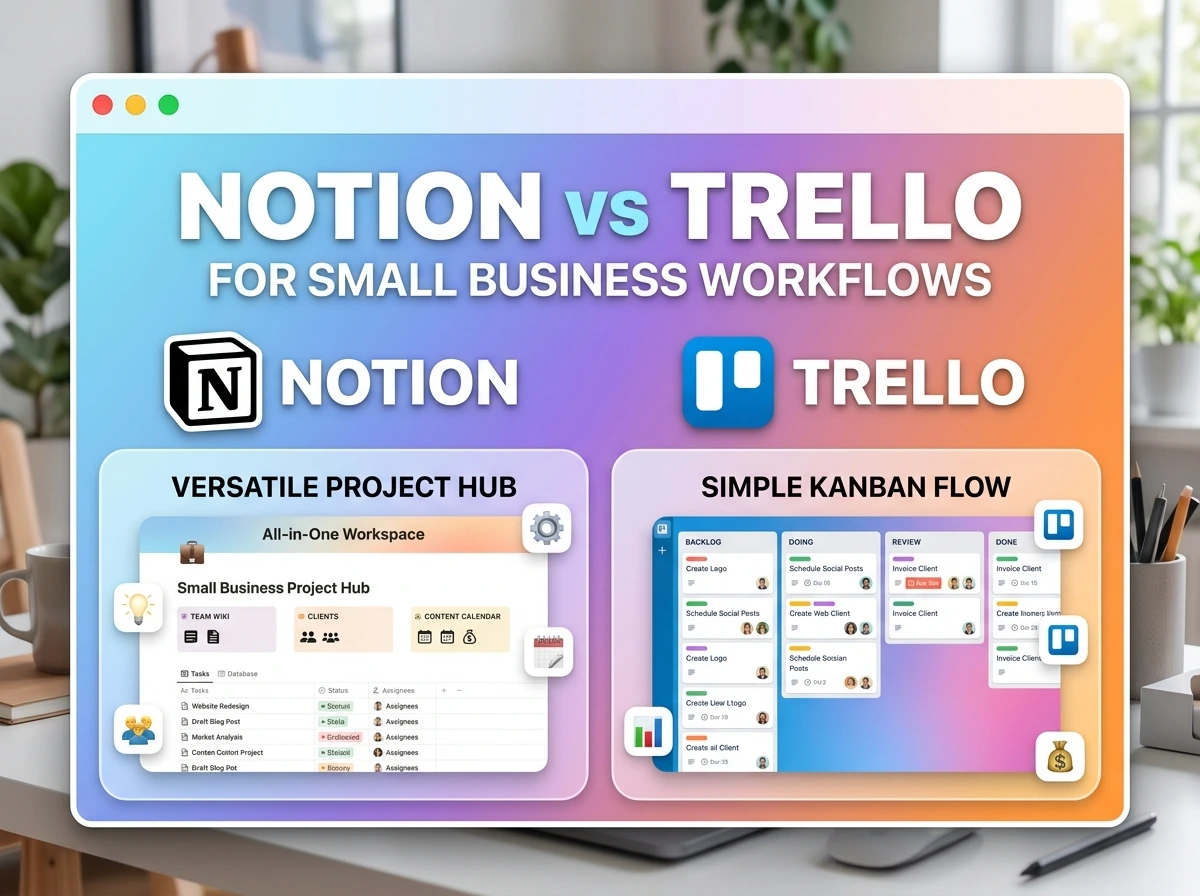
Which one should you pick? If you’ve searched this question before landing here, you’ve probably already read three articles that all say some version of “it depends on your needs” and then never actually tell you what that means in practice. That’s not useful when you’re trying to run a business and just want an answer you can act on today.
Here’s a more honest starting point: Notion and Trello aren’t really competing for the same job. One is a flexible workspace you build to fit your business. The other is a visual board that shows workflow status at a glance. Small businesses that pick based on “which is more popular” often end up frustrated a few months in, not because the tool is bad, but because it was never built for what they needed it to do.
This comparison is based on how each tool actually performs across the workflows small businesses run daily, not a checkbox comparison of features nobody uses.
The Core Difference That Actually Matters
Trello is built around boards and cards – a visual representation of tasks moving through stages. It’s excellent at answering one question extremely well: “what’s the status of this specific thing?”
Notion is built around pages and databases – a flexible system where you construct your own structure, whether that’s a task board, a client CRM, a wiki, or all three connected together. It’s excellent at answering a broader question: “where does all my business information live, and how does it connect?”
Neither is objectively better. They’re solving different-shaped problems, and most of the disappointment people report with either tool comes from using it for the wrong shape of problem.
Head-to-Head: Feature Comparison
| Feature | Trello | Notion |
|---|---|---|
| Core structure | Boards, lists, cards | Pages, nested databases |
| Learning curve | Very low — usable in minutes | Medium — takes real setup time |
| Visual task tracking | Excellent (native strength) | Good, but requires building it |
| Document/wiki capability | Weak — cards aren’t built for long content | Excellent — this is a core strength |
| Client/CRM tracking | Possible, but clunky | Strong — relational databases handle this well |
| Free plan limits | Generous for small teams | Very generous for individuals/small teams |
| Mobile experience | Strong, close to desktop parity | Functional, but more limited than desktop |
| Automation | Native (Butler), easy to set up | Requires more manual building or third-party tools |
| Best for | Quick visual workflows | All-in-one business operations |
Where Trello Wins for Small Business
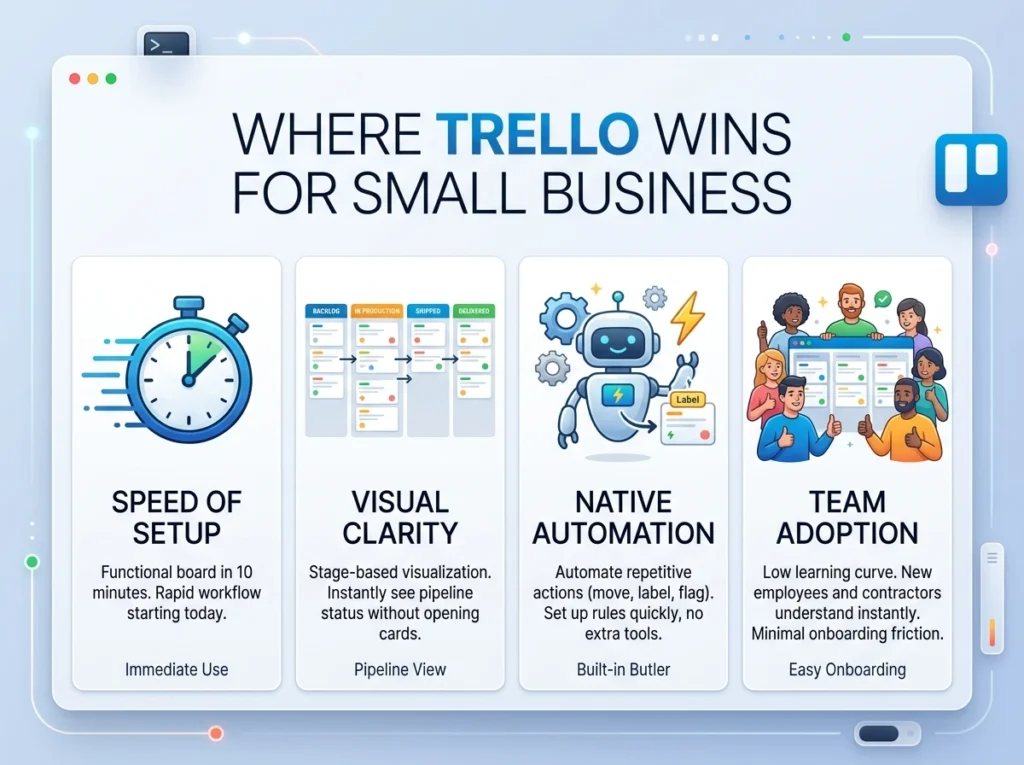
Speed of setup. A Trello board can be functional in ten minutes. For a small business that needs a workflow running today, not after a weekend of building that matters.
Visual clarity for stage-based work. If your business runs on clear stages (New Order → In Production → Shipped → Delivered, or New Lead → Contacted → Proposal Sent → Closed), Trello’s board format shows that at a glance without anyone needing to open a single card.
Native automation without extra tools. Trello’s Butler automation handles repetitive actions moving cards, adding labels, flagging overdue items natively and without a steep learning curve. Setting up a due-date alert or a card-movement rule takes minutes.
Team adoption. Because the learning curve is so low, new employees or contractors understand a Trello board almost immediately. There’s very little onboarding friction.
Where Notion Wins for Small Business
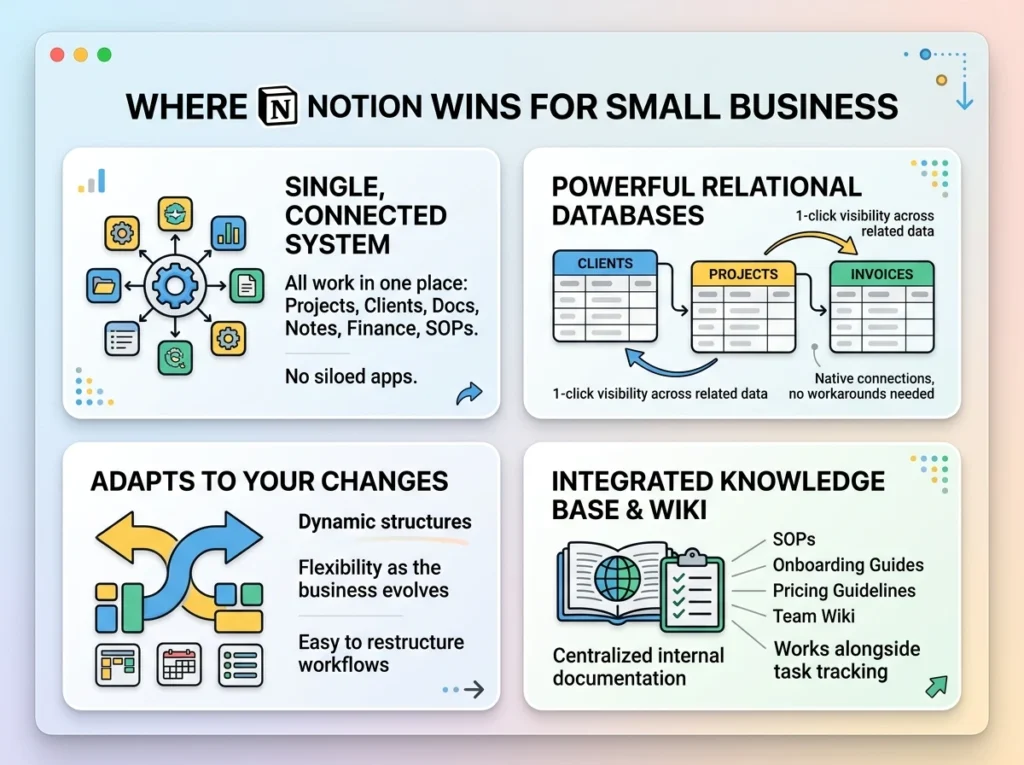
Everything lives in one connected system. A small business often needs more than task tracking, client records, internal documentation, meeting notes, financial tracking, standard operating procedures. Notion can hold all of it, connected through relations, in a way Trello simply isn’t built for.
Database relationships. If you need to see, in one click, every project tied to a specific client, along with every invoice tied to that project, Notion’s relational databases do this natively. Trello has no real equivalent, you’d be building workarounds with labels and links.
Flexibility as the business changes. A new business often doesn’t know its exact workflow yet. Notion bends to fit whatever structure you land on, and reshaping it later, adding a column, changing a view, connecting a new database doesn’t require rebuilding from scratch.
Documentation and knowledge base. Every small business accumulates processes worth writing down, how to onboard a new client, how to handle a return, pricing guidelines. Notion functions as a wiki alongside your task tracking. Trello has no real equivalent for this.
Practical Scenario: Two Small Businesses, Two Different Fits
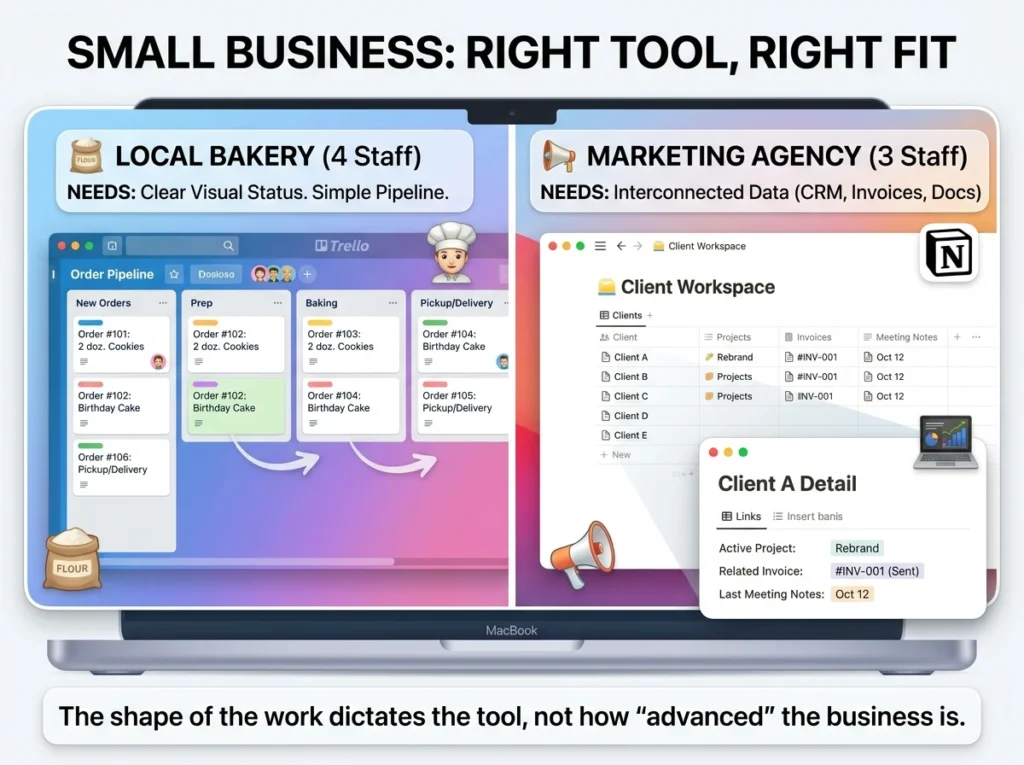
A local bakery with 4 staff, running a simple order pipeline. Orders come in, move through prep, baking, and pickup/delivery stages. There’s no need for a client database, financial tracking, or long-form documentation, just clear visual status on each order. Trello fits cleanly here. Staff with zero software background can look at the board and know exactly what to do next.
A three-person marketing agency managing 15 ongoing clients. They need client contact info, project status per client, invoice tracking, meeting notes, and a shared knowledge base of internal processes all connected, so opening a client shows every project and invoice tied to them. Trello would require piecing this together across multiple boards with no real connection between them. Notion handles it as one interconnected system.
Same size business, roughly. Completely different tool needs, because the shape of the work is different, not because one business is more “advanced” than the other.
Cost Comparison for Small Business Use
| Plan Tier | Trello | Notion |
|---|---|---|
| Free plan | Unlimited cards, 10 boards per workspace, basic automation | Unlimited pages/blocks for individuals, generous for small teams |
| Paid tier starting price | ~$5/user/month (Standard) | ~$8–10/user/month (Plus) |
| When you’d need to upgrade | More boards, advanced automation limits, admin controls | Advanced permissions, more guest access, larger team features |
For most small businesses under 10 people, both free plans cover the core need without paying anything. Upgrade decisions usually come from team size and admin control needs, not core functionality gaps.
Common Mistakes When Choosing Between Them
Before deciding, it’s worth avoiding a few traps that lead to buyer’s remorse either way:
- Choosing based on popularity instead of your actual workflow shape. Trello being more commonly recommended for “small business” doesn’t mean it fits every small business, match the tool to your specific need, not to what’s trending in productivity content.
- Underestimating Notion’s setup time. Businesses expecting Trello-level “up and running in ten minutes” speed from Notion often get frustrated in week one. Budget real setup time if you choose Notion.
- Overestimating Trello’s ability to hold complex information. Trying to cram client CRM data, financial tracking, and long documentation into Trello cards usually results in a messy, hard-to-navigate board within a few months.
- Switching tools too early. Give whichever one you pick at least three to four weeks of real use before deciding it’s the wrong fit, most frustration in week one is a setup problem, not a tool problem.
- Ignoring team technical comfort. A team that resists complexity will actively avoid a Notion setup that’s too elaborate. Match the tool’s complexity to what your actual team will use consistently, not what looks impressive in a demo.
- Trying to run both without a clear boundary. Some businesses use both tools simultaneously with no clear division of what lives where. This usually creates more confusion than using either tool alone.
Making the Actual Decision
Ask yourself three questions:
Does your business primarily need to see task status at a glance, with minimal setup time? → Trello.
Does your business need connected records – clients, projects, documentation, finances – living in one system? → Notion.
Are you a small, simple operation that mainly tracks orders or tasks moving through clear stages, with no real need for a knowledge base or client database? → Trello, and don’t overthink it further.
If you’re still unsure, the setup time itself is informative: if you don’t have a free afternoon to build something in Notion this week, start with Trello now and revisit Notion once your business has grown complex enough to need it.
Frequently Asked Questions
- Can I use Trello and Notion together for the same business? Some businesses do, typically using Trello for daily task boards and Notion for documentation and client records. This works if the division of what lives where is clear, it creates confusion if both tools track overlapping information.
- Which tool is better for a solo small business owner? It depends on complexity, not size. A solo consultant juggling clients, proposals, and invoices likely benefits more from Notion’s connected databases. A solo shop owner tracking simple order status is often better served by Trello’s simplicity.
- Is Notion harder to learn than Trello? Yes, meaningfully so. Trello can be used productively within minutes of opening it. Notion typically takes a few hours of real setup before it starts to feel intuitive, though it becomes very natural once that initial investment is made.
- Does Trello have any database or CRM capability at all? Limited. You can use Power-Ups and custom fields to approximate simple tracking, but it’s not built for relational data the way Notion is. For genuine CRM-style tracking, Notion or a dedicated CRM tool will serve you better.
- Can Notion handle visual, stage-based workflows as well as Trello? Yes, using Board view within a Notion database, it looks and functions similarly to a Trello board. The difference is Notion requires you to build that structure yourself, while Trello gives it to you by default.
- Which tool has better automation for small teams? Trello’s native Butler automation is easier to set up and requires no additional tools. Notion’s automation typically requires more manual building or third-party integrations, making Trello the faster option for basic automated workflows.
- Is the free plan enough for a small business, or do we need to pay right away? For most businesses under 10 people, both free plans are genuinely sufficient to run real operations. Paid tiers become relevant as team size grows or you need more advanced permissions and admin controls.
- What happens if my business outgrows Trello’s simple board structure? This is the most common reason businesses migrate to Notion or a dedicated tool as complexity grows (more data types, more connections needed between information), Trello’s board-and-card structure starts to feel limiting.
- Can I migrate from Trello to Notion later without losing data? Yes, though it requires manual rebuilding rather than a direct one-click import. Trello data can be exported and referenced while you rebuild the structure in Notion, plan for some setup time during the switch.
- Is one of these tools simply “better” than the other overall? No, this is genuinely a fit question, not a quality question. Trello is excellent at what it does. Notion is excellent at what it does. The mismatch happens when a business picks based on trend or recommendation rather than matching the tool to its actual workflow shape.
Bottom Line
Neither tool is the universally “right” choice and any article claiming otherwise is oversimplifying to sound decisive. The right answer depends on whether your business needs a fast, visual snapshot of task status, or a connected system holding everything from client records to internal documentation.
If you’re still unsure after reading this, that uncertainty is itself useful information: try building a simple version of your actual workflow in both tools this week, spend a real day working from each, and let that hands-on test, not a features list, make the decision for you.
Free AI Tools That Actually Save Time Every Day (2026 Guide)