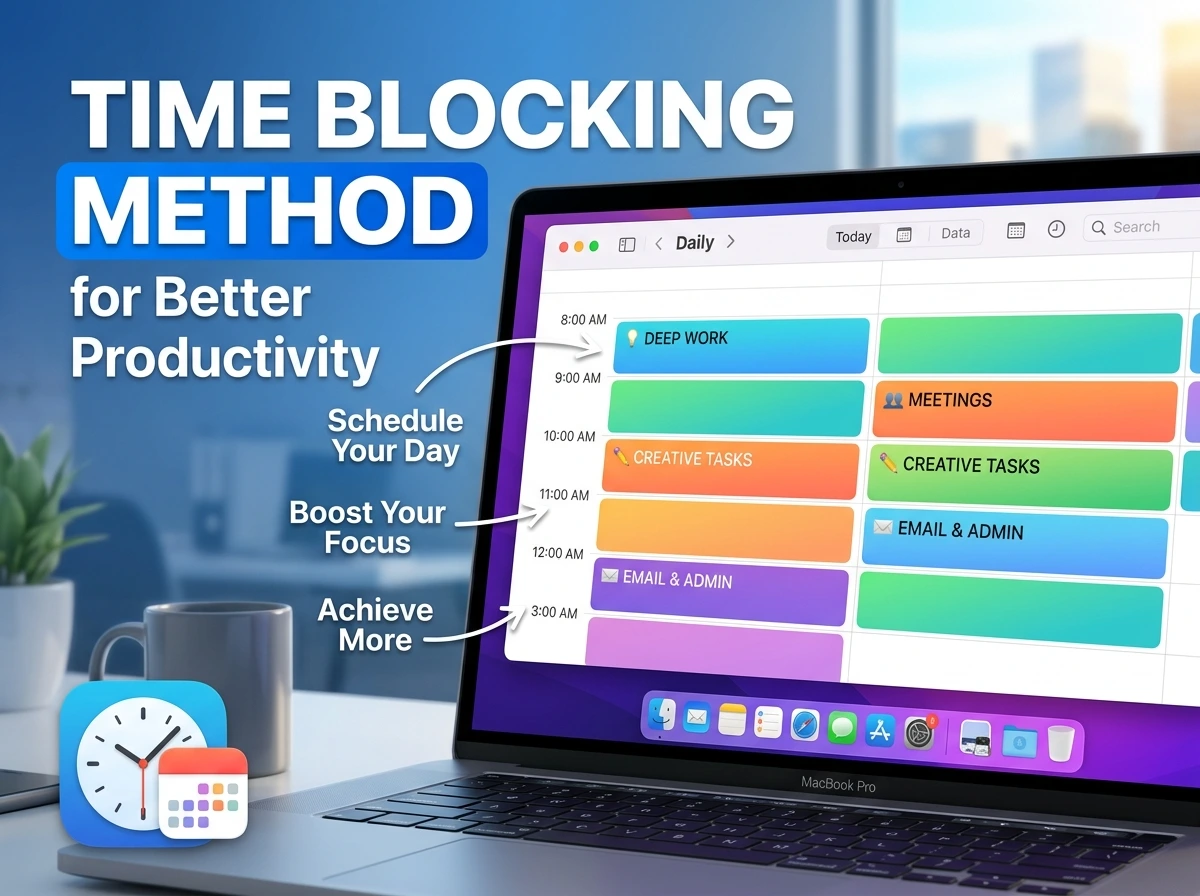

Most people who try time blocking quit within two weeks, and it’s rarely because the method doesn’t work. It’s because they built a schedule for an idealized version of their day one where meetings never run over, nothing urgent interrupts, and every task takes exactly as long as they guessed. Then Tuesday happens, the plan collapses by 11 AM, and the whole method gets written off as “doesn’t work for me.”

Time blocking does work. It’s one of the most consistently effective productivity methods for improving time management precisely because it forces you to confront how much time things actually take, instead of floating through a day reacting to whatever feels urgent in the moment. But the version that survives real life looks different from the rigid, color-coded calendar screenshots that get shared online.
This is a practical look at how to actually build a time-blocked schedule that holds up, not the version that looks perfect until the first disruption.
What Time Blocking Actually Solves

Without a plan, your day defaults to reacting, answering whatever email arrived last, tackling whatever feels most urgent in the moment, often at the expense of what’s actually important. Time blocking flips that by deciding, in advance, what gets your attention and when. It doesn’t just organize your day, it removes the constant low-level decision-making of “what should I do next,” which is a genuine source of mental fatigue most people don’t notice until it’s gone.
The method also exposes something most people avoid looking at directly: how much time tasks genuinely take. Vague intentions (“work on the proposal sometime”) never get tested against reality. A time block does, immediately.
The Core Method, Explained Simply

Time blocking means assigning specific tasks to specific chunks of time on your calendar, rather than keeping a general to-do list with no fixed schedule. Instead of “reply to emails” sitting on a list all day, it becomes “9:00–9:30 AM: reply to emails”, a defined start, a defined end, and everything else waits its turn.
The difference from a regular to-do list is subtle but important: a to-do list tells you what, time blocking tells you when and the “when” is what actually gets things done, because tasks without a scheduled time compete endlessly with whatever feels urgent right now.
Time Blocking vs. Other Common Scheduling Approaches
| Method | How It Works | Best For | Main Weakness |
|---|---|---|---|
| Time Blocking | Assign fixed time slots to specific tasks | People who get derailed by open-ended days | Falls apart if the schedule is too rigid |
| To-Do Lists | Simple list, no fixed timing | Quick daily capture, low structure needs | No sense of when things actually happen |
| Time Boxing | Similar to blocking, but with a hard stop regardless of completion | Perfectionists who over-polish tasks | Can feel arbitrary if the box is too short |
| Eisenhower Matrix | Sort tasks by urgent/important | Prioritization, not scheduling | Doesn’t address when work actually happens |
| Task Batching | Group similar tasks together | Reducing context-switching costs | Doesn’t address deep work time specifically |
Time blocking isn’t a replacement for prioritization methods like the Eisenhower Matrix, it’s what you do after you know what matters. Many people combine the two: prioritize first, then block time for what actually made the cut.
Building Your First Time-Blocked Day
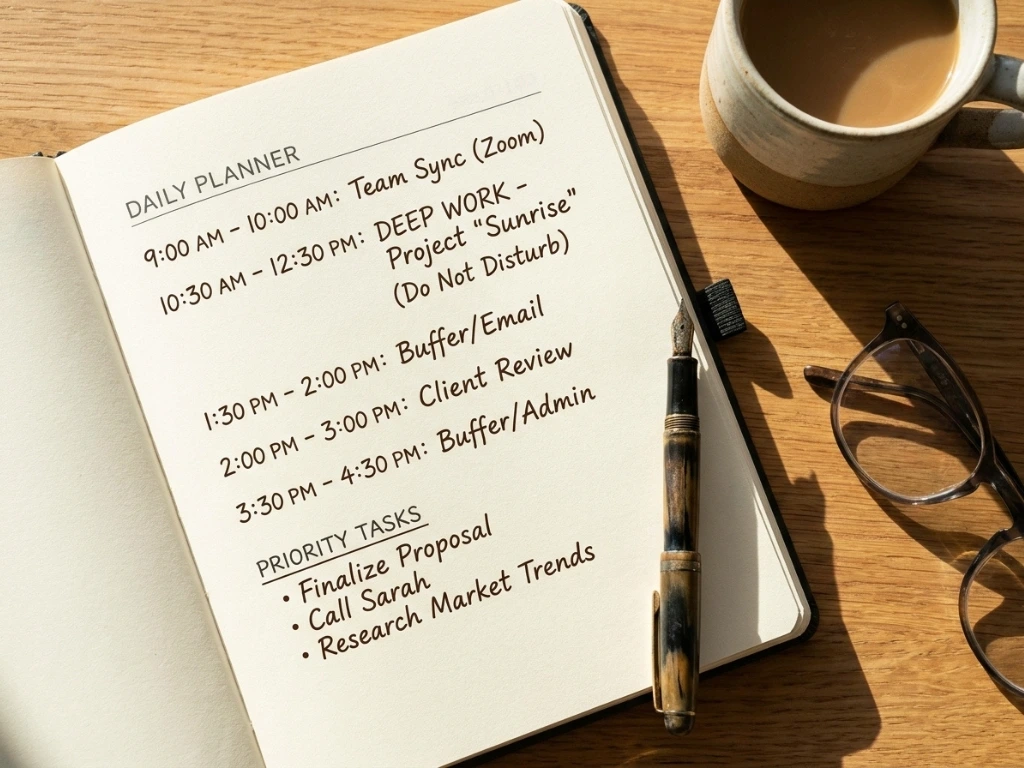
Start with your fixed commitments. Meetings, calls, appointments, anything with a set time goes on the calendar first. These aren’t up for negotiation, so they anchor everything else around them.
Identify your two or three real priorities for the day. Not everything on your task list, just the handful that actually matter today. Trying to time-block an entire 20-item list guarantees failure by mid-morning.
Estimate honestly, then add buffer. Whatever you think a task will take, add 25–30%. Nearly everyone underestimates, and a schedule built on optimistic estimates collapses at the first task that runs long.
Block your hardest task during your peak energy hours. Most people have two to four hours a day where focus comes easier, protect that window for your most demanding work, not for email or admin.
Leave visible gaps, not a fully packed day. Unscheduled buffer blocks absorb the inevitable overruns and interruptions. A calendar with zero white space isn’t disciplined, it’s fragile.
Review and adjust at the end of the day. Which blocks ran long? Which were wildly inaccurate? This isn’t about self-criticism, it’s data that makes tomorrow’s blocks more realistic.
Where This Actually Goes Wrong

Most people don’t fail at time blocking because of laziness. They fail because of a few specific, fixable design mistakes:
- Scheduling every single minute with no buffer. The first unexpected interruption cascades through the entire rest of the day, and the schedule becomes unusable by noon.
- Estimating task time optimistically instead of realistically. If you consistently guess low, every block runs over, and the whole day feels like falling behind, even when you’re working just as hard as planned.
- Treating the schedule as a rigid contract instead of a flexible guide. The point is direction, not punishment. A missed block should be rescheduled, not treated as failure.
- Time-blocking too far in advance. Blocking two weeks out assumes you know exactly what next Thursday holds. Daily or weekly blocking, adjusted as things shift, is more realistic than locking in a rigid month.
- Ignoring energy levels entirely. Scheduling deep, demanding work during a natural afternoon slump, instead of matching task difficulty to your actual energy curve, sets the block up to underperform before it even starts.
- Abandoning the method after one bad week. Every time-blocked schedule gets disrupted eventually. That’s not proof the method failed, it’s proof that a single week isn’t a fair trial.
A Realistic Week, Not a Perfect One
A marketing consultant managing several client accounts started time blocking after realizing she was spending most of her day reacting to whichever email arrived most recently, with her actual priority work, strategy documents, client proposals constantly pushed to “later” and then to “tomorrow.”
Her first attempt at time blocking failed within three days, she’d scheduled her entire day hour by hour with zero buffer, and one long client call on day two knocked every subsequent block off schedule for the rest of the week. Rather than abandoning the method, she rebuilt it with two changes: she blocked only her top two priorities each day instead of her full task list, and she added a 30-minute buffer block after every call, assuming calls would run long because they usually did.
The schedule that survived looked less impressive than her first attempt, fewer blocks, more visible gaps but it actually held up. Within a month, her strategy documents were consistently finished within their intended week instead of perpetually rolling over, not because she was working more hours, but because those hours had somewhere specific to happen instead of competing with whatever felt urgent that day.
Tools That Support Time Blocking

| Tool | How It Helps | Free Option? |
|---|---|---|
| Google Calendar | Native time blocks, color coding, easy rescheduling | Yes, fully |
| Todoist + Calendar sync | Task list feeds directly into scheduled blocks | Yes, limited |
| Notion (Calendar view) | Time blocks alongside notes and project context | Yes, generous |
| Motion | AI auto-schedules blocks based on estimated durations | No, trial only |
| Physical planner | Zero tech friction, forces deliberate handwriting of blocks | N/A (one-time cost) |
None of these tools make time blocking work by themselves, the habit of honest estimation and consistent daily planning matters more than which calendar you use.
Advanced Adjustments Once the Basics Work
Batch similar blocks together. Group email replies, admin tasks or calls into single blocks rather than scattering them throughout the day. Each switch between task types carries a hidden cost in refocusing time.
Theme entire days where possible. If your work allows it, dedicating whole days to specific types of work (client calls on Tuesdays, deep writing on Wednesdays) reduces the mental overhead of switching gears daily.
Build a weekly buffer day. One day with intentionally light blocking absorbs whatever overflowed from the rest of the week, without it, small overruns compound into a permanently backed-up schedule.
Color-code by energy demand, not just category. Rather than just labeling blocks “work” vs “personal,” mark which blocks need high focus versus which can tolerate interruption, this makes rescheduling decisions faster when something does go wrong.
Frequently Asked Questions
- Isn’t time blocking too rigid for a job with constant interruptions? It can feel that way if every minute is scheduled with no flexibility. Building in buffer blocks and only time-blocking your top two or three priorities, rather than your entire day makes the method far more resilient to interruption-heavy work.
- How accurate do my time estimates need to be to start? Not very, at first. The first week or two of time blocking is mostly about generating real data on how long things take you specifically. Expect early estimates to be off, that’s the process working, not failing.
- Should I time-block my entire week in advance, or day by day? Day-by-day or a loose weekly outline tends to hold up better than a fully locked-in week, since priorities and disruptions shift constantly. Lock in only what’s genuinely fixed, meetings, deadlines and leave the rest flexible until closer to the day.
- What if I consistently run over on almost every block? That’s a sign your estimates need a bigger buffer, not that the method doesn’t work. Add 30–40% to your next attempt at estimating similar tasks and see if the accuracy improves.
- Does time blocking work for people with unpredictable schedules, like parents or shift workers? It works best when adapted to shorter, more flexible blocks rather than long fixed ones. Blocking a rough two-hour window instead of a precise 45-minute slot builds in more natural tolerance for unpredictability.
- How is time blocking different from just using a calendar for meetings? Most people only put fixed appointments on a calendar and leave actual work time unscheduled. Time blocking extends that same calendar discipline to your task work, not just your meetings. Treating focused work time with the same seriousness as an appointment with someone else.
- What’s the single biggest reason people give up on time blocking? Building an unrealistically packed schedule with no buffer, then treating the first disruption as proof the method failed rather than as evidence the schedule needed more breathing room.
- Can time blocking help with procrastination specifically? Indirectly, yes. Assigning a specific, bounded time to a dreaded task makes it feel smaller and more finite than an open-ended “I should do this at some point,” which is often what fuels avoidance in the first place.
- Do I need special software, or can I do this with a basic calendar? A basic calendar app, even a free one like Google Calendar is genuinely sufficient. More advanced tools like Motion add automation, but they’re not required to get real value from the method.
- How long before time blocking starts to feel natural instead of effortful? Most people report it feeling more automatic after two to three weeks of consistent use, once they’ve calibrated their estimates and built the daily habit of planning blocks before the day starts.
Making It Stick

Time blocking isn’t a rigid contract with your calendar, it’s a working draft you adjust daily based on what you learn about your own patterns. The version that survives past week one always has more white space and fewer blocks than the version that gets abandoned.
Build tomorrow’s schedule tonight. Block only your top two priorities, add generous buffer around anything uncertain, and treat the first few days as data collection rather than a performance to get right immediately. The schedule that looks a little imperfect and a little empty is usually the one that’s actually going to work.