

Remote work removed the structure nobody realized was doing half the work. No commute bookending your day, no coworkers signaling when it’s actually time to focus, no physical separation between “the office” and “everywhere else.” A lot of productivity advice still assumes those structures exist, which is exactly why so much of it quietly fails the moment you try applying it to a kitchen-table workday.
The systems that actually hold up for remote workers aren’t necessarily more complex. They’re built around problems office-based advice doesn’t have to solve: nobody visibly signaling that you’ve started or stopped working, distractions that live in the same room as your desk, and the specific loneliness of self-managing every single hour without ambient social structure keeping you roughly on track.
This is a look at the systems that address those specific problems, not a generic productivity list with “remote” tacked onto the title.
What Makes Remote Work Different (And Why Generic Advice Falls Short)

Office-based productivity systems lean on structure you don’t have to build yourself, a physical commute that bookends the day, colleagues whose presence subtly regulates focus, a clear line between “at work” and “not at work.” Remove all three, and most generic advice starts solving problems that don’t match your actual situation.
Remote-specific systems need to do three things instead: create artificial start/stop signals your brain can rely on, manage distraction in an environment that mixes work and personal life physically, and build in accountability that doesn’t depend on someone else noticing you’re working.
System 1: Time Blocking With Hard Boundaries

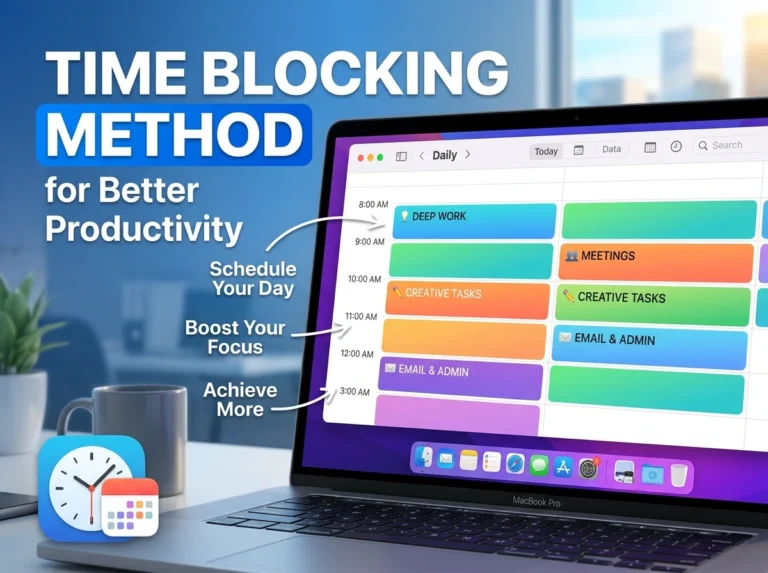
Time blocking works for anyone, but it does something specific for remote workers: it recreates the start/stop structure a commute used to provide. Blocking “9:00 AM: Start work” and “5:30 PM: Close laptop” on your actual calendar gives your brain artificial bookends it no longer gets automatically.
The remote-specific adjustment that matters most: block a clear transition ritual at the end of the day, even five minutes of writing tomorrow’s top three tasks, because without a commute home, work has no natural ending point, and it quietly bleeds into evening hours without one.
System 2: The Two-List Method (Work List / Life List)
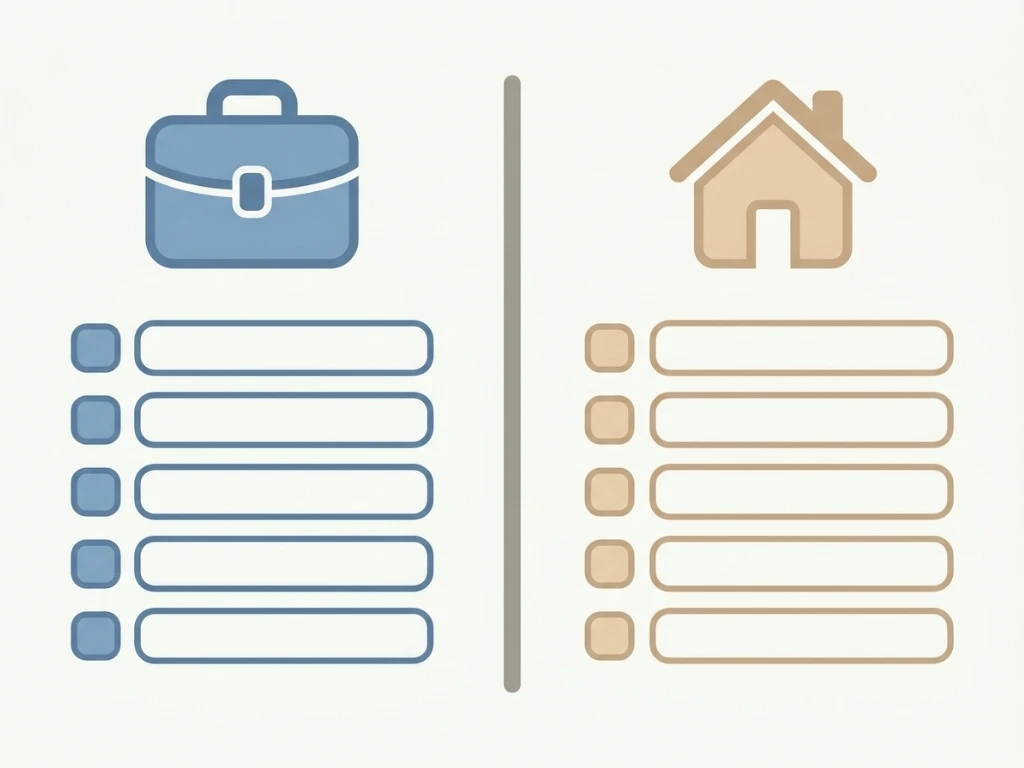
A common remote-work failure mode is a single blended to-do list that mixes “finish the report” with “buy groceries”, which sounds efficient but actually makes both harder to protect. When work and personal tasks live in the same list, personal tasks quietly get deprioritized during busy weeks, and work tasks bleed into evenings because there’s no visible line marking “this is done for today.”
Keeping two entirely separate lists one for work, one for personal life forces a decision about which one you’re actively working from at any given moment, which recreates some of the mental separation an office commute used to provide automatically.
System 3: The Body Doubling / Co-Working Method

Isolation is a specific, underdiscussed cost of remote work, and it has a direct productivity effect: some people focus significantly better with the ambient presence of others working nearby, even virtually. “Body doubling” working alongside someone else, even silently on a video call, or using a virtual co-working platform recreates that ambient accountability without needing to be in the same physical room.
This isn’t about collaboration in the traditional sense. It’s specifically about presence, knowing someone else is also working, right now, in a way that makes procrastination slightly harder to justify to yourself.
System 4: Async-First Communication Systems

Remote teams that default to constant real-time messaging often end up with worse focus than an office would have had, because there’s no visible cue (someone walking over to your desk) signaling an interruption is coming, a notification just appears and breaks focus instantly, repeatedly, all day.
An async-first system means defaulting to written updates, batched status checks, and scheduled response windows instead of expecting instant replies to everything. This isn’t a personal habit alone, it usually requires some agreement with a team or client about response-time expectations, but even a personal version (checking Slack three times a day at set times, rather than constantly) recovers meaningful focus time.
Comparing the Four Systems
| System | Solves | Best For | Requires Team Buy-In? |
|---|---|---|---|
| Time Blocking with Boundaries | Missing start/stop structure | Anyone lacking a natural workday edge | No — fully personal |
| Two-List Method | Work/life task bleed | People whose personal tasks keep losing to work | No — fully personal |
| Body Doubling / Co-working | Isolation-driven procrastination | People who focus better with ambient presence | Sometimes — easier with a partner or platform |
| Async-First Communication | Constant interruption from messaging | Remote teams with heavy real-time chat culture | Often yes — needs some team agreement |
Most remote workers benefit from combining at least two of these rather than picking just one time blocking plus async communication addresses both the boundary problem and the interruption problem simultaneously.
Where Remote Productivity Systems Usually Break Down
- Copying an office routine that assumes structure you no longer have. A generic “wake up, get to work by 9” plan without an artificial start signal often just drifts, because nothing forces the transition anymore.
- Blending work and personal tasks into one list “for simplicity.” This consistently backfires personal tasks lose out during busy weeks, and work bleeds into personal time because there’s no visible boundary.
- Assuming isolation doesn’t affect focus. Many remote workers dismiss body doubling as unnecessary until they actually try it, ambient accountability is a real, measurable effect, not just a nice-to-have.
- Defaulting to real-time chat for everything. Treating every message as urgent recreates constant office-style interruptions, minus the visible cue that made them easier to manage in person.
- Never building an end-of-day ritual. Without one, work quietly extends into evenings, which compounds into burnout over months rather than causing an obvious single bad day.
- Trying every system simultaneously. Adopting all four at once usually means mastering none, pick one or two based on your specific failure pattern first.
A Remote Worker’s Actual Adjustment Period

A software developer working fully remote for a distributed team described his first three months as “technically productive but exhausting”, he was getting work done, but with no clear start or end to his day, and no signal telling his brain when focus time was supposed to happen versus when it wasn’t.
He started with two changes: a hard 9:00 AM calendar block labeled simply “Start,” which he treated as non-negotiable regardless of how he felt that morning and a genuine end-of-day ritual closing his laptop and writing three lines about tomorrow’s priorities before doing anything else. Neither change altered his actual workload. What changed was that his days had edges again, a beginning his brain recognized and an ending it could trust, instead of work quietly seeping into every unstructured hour because nothing signaled it was over.
Six weeks later, he added a body-doubling session twice a week with another remote developer he knew, specifically for the mornings he found himself procrastinating most. He described it as the single change that made the biggest difference to actually starting difficult tasks, not because the other person did anything, but because knowing someone else was visibly working made avoiding the work himself feel more visible, even to nobody but himself.
Tools That Support These Systems
| Tool | Supports Which System | Free Option? |
|---|---|---|
| Google Calendar | Time blocking, hard start/stop boundaries | Yes, fully |
| Todoist / Notion | Two-list method (separate work/personal lists) | Yes, generous |
| Focusmate | Body doubling / virtual co-working sessions | Yes, limited sessions |
| Slack (with scheduled send/status) | Async-first communication boundaries | Yes, with limits |
| Loom | Async video updates instead of real-time meetings | Yes, limited |
None of these tools create the system by themselves, they support a habit you still have to build deliberately, especially in the absence of any office structure doing it for you automatically.
Advanced Adjustments Once the Basics Hold
Theme your days around meeting-heavy vs. deep-work-heavy blocks, if your role allows it batching calls into fewer days protects longer, uninterrupted stretches on the others.
Build a physical “work mode” trigger even without a commute, a specific playlist, a particular chair, changing out of pajamas anything that gives your brain a consistent physical signal that work has started, since the commute used to do this automatically.
Schedule a weekly “disconnected” review, away from your work setup entirely, to assess what’s actually working across your system rather than reviewing tasks from the same chair where you did all the work.
Set explicit async response-time expectations with your team, in writing, so “I didn’t reply within ten minutes” stops carrying unspoken urgency it was never meant to have.
Frequently Asked Questions
- Is time blocking really different for remote workers versus office workers? The mechanics are similar, but the reason it matters is different, remote workers are specifically recreating structure (a start/stop rhythm) that a commute and office environment used to provide automatically.
- Does body doubling actually work, or is it just a placebo? Many people report a genuine focus improvement from ambient presence, even virtual and silent, it’s not fully understood mechanistically, but the effect is widely reported enough to be worth testing for yourself, especially if procrastination is a specific struggle.
- How do I convince my team to adopt async-first communication if they’re used to instant replies? Start with your own response-time boundaries first and raise it as a specific proposal batching check-ins three times daily, for instance, rather than trying to overhaul the whole team’s habits at once.
- What if I don’t have anyone to body double with? Platforms like Focusmate pair you with a stranger for scheduled virtual co-working sessions, you don’t need an existing relationship with the person for the ambient accountability effect to work.
- Isn’t keeping two separate to-do lists more complicated than just having one? It adds a small amount of overhead, but the payoff is protecting personal tasks from constantly losing to work tasks, a blended list tends to let work quietly dominate by default.
- How long does it take to feel the difference from building in start/stop boundaries? Often within one to two weeks of consistent use, the boundary itself doesn’t need to be elaborate, just consistent enough that your brain starts recognizing it as a genuine signal.
- Can these systems work for someone who’s only partially remote (hybrid)? Yes, though the urgency is lower on office days, since some natural structure returns then. Most hybrid workers find these systems most useful specifically on their remote days.
- What’s the biggest mistake remote workers make with their daily structure? Assuming the lack of structure is a personal discipline failure rather than the predictable result of removing a commute, an office, and ambient colleague presence all at once and then not deliberately rebuilding equivalents for any of them.
- Do I need special software for any of this, or can I start with what I already have? You can start with a basic calendar and a plain task list for most of this body doubling is the one system that benefits from a dedicated platform, though even that can start informally with a friend on a video call.
- How do I know which system to start with if I want to try just one? Match it to your specific failure pattern: struggling with a clear start or end to your day points to time blocking; personal tasks always losing out points to the two-list method; procrastination and isolation point to body doubling; constant interruption points to async-first communication.
Building Your Own System
None of these four systems is universally “the” remote productivity system, despite what any single article, including this one, might imply. They solve different specific problems that remote work creates by removing office structure nobody realized was doing real work in the background.
Pick the system that matches your actual failure pattern, not the one that sounds most impressive. Build it for two weeks before judging it, and add a second system only once the first genuinely feels automatic. The goal isn’t recreating an office, it’s deliberately building the specific structures a home environment was never going to provide by accident.